01 · Platform · Workforce management for ANSPs One job. Many names.
Workforce management system, resource management system, duty roster tool: tenders use different words for the same job. Each strip names what they ask for, from demand to payroll and SAP, and shows where Rostify does it. Every screen is the real software.
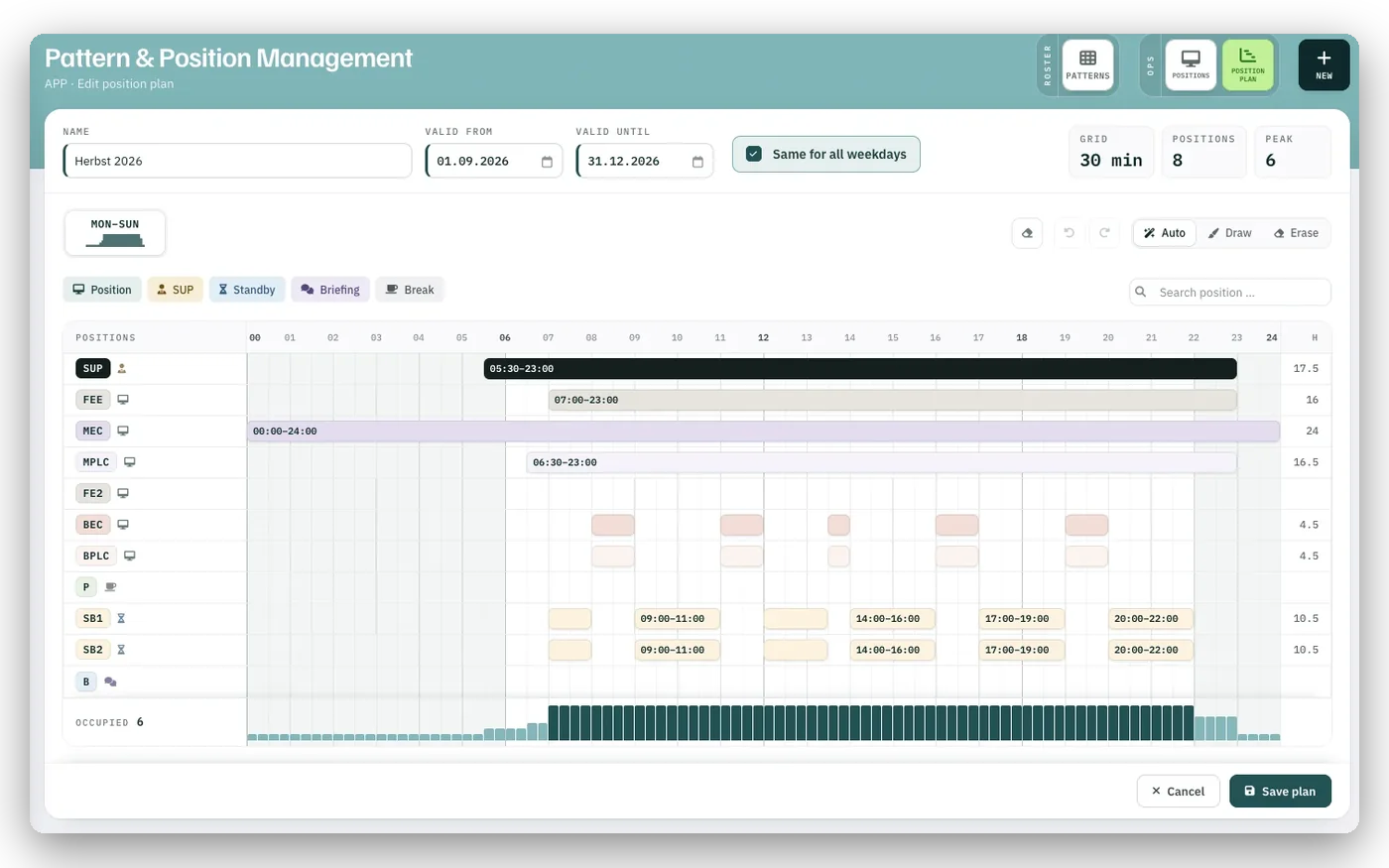
Demand and capacity planning
Demand first.
Which positions must be staffed, on which weekday, at what time: recorded in a 15-, 30- or 60-minute grid. Everything that follows is measured against this plan.
- 1Every position with its opening hours
- 2Positions occupied, hour by hour
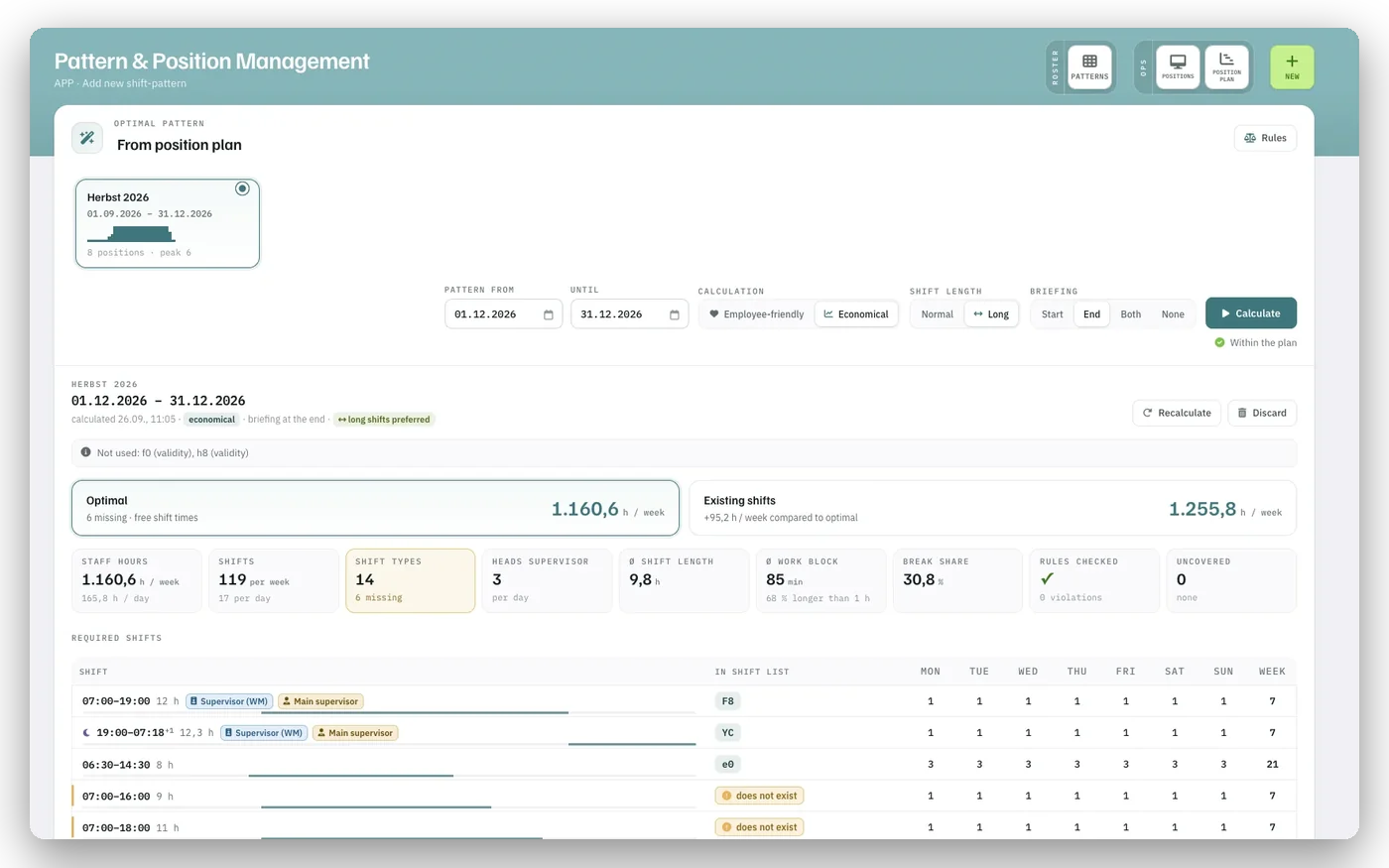
Shift design
Then the shifts that cover it.
From the position plan, Rostify calculates the shifts that cover the demand with the fewest staff hours, and sets the result against the shifts you run today.
- 1Calculated pattern against existing shifts, in hours per week
- 2The shifts required, per weekday
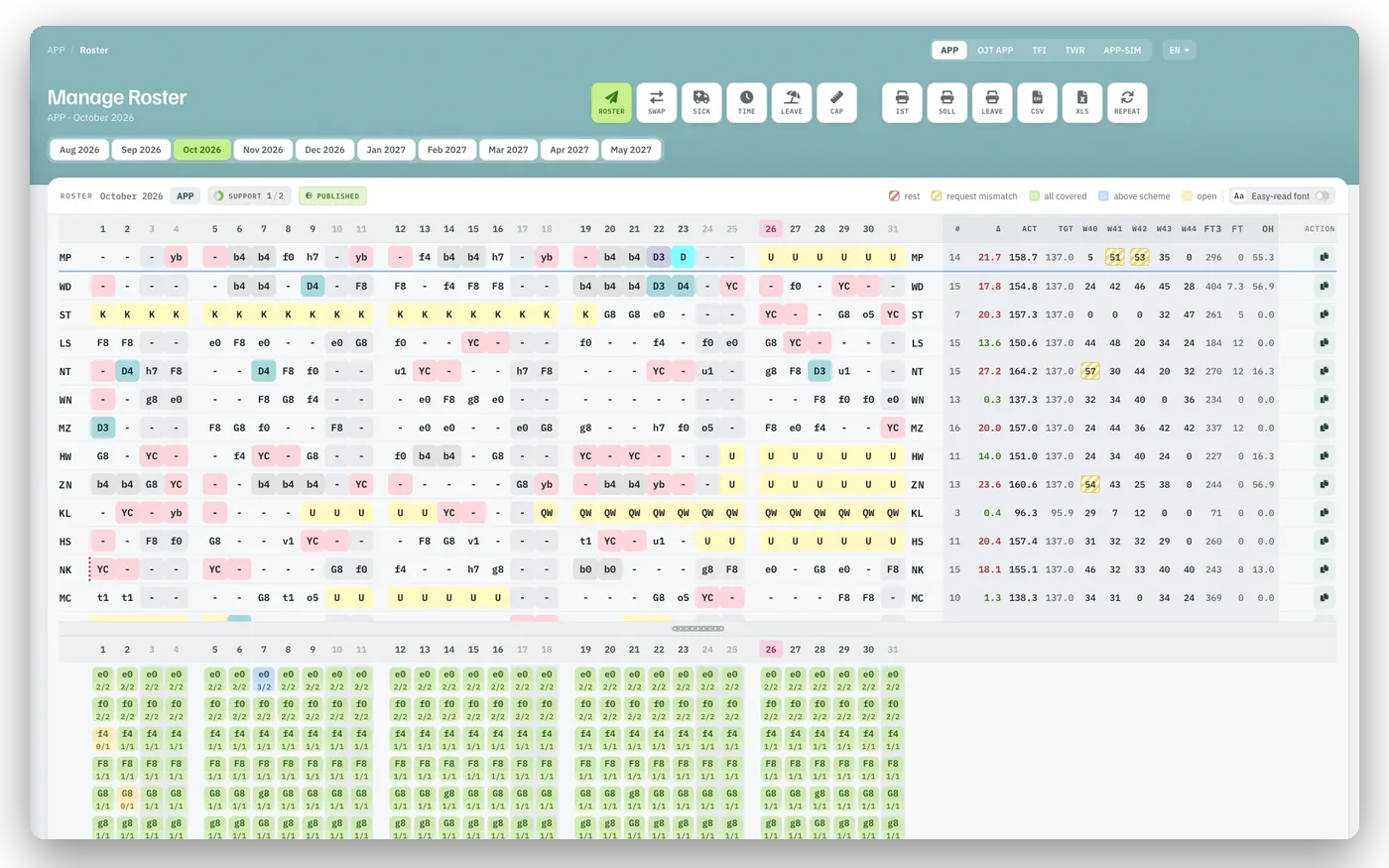
Rostering · controller scheduling
People on shifts.
The monthly roster is built by hand or by the AUTO Plan. Below the roster, the coverage shows for every shift and day whether the pattern is met.
- 1One row per person, one column per day
- 2Coverage against the pattern, shift by shift
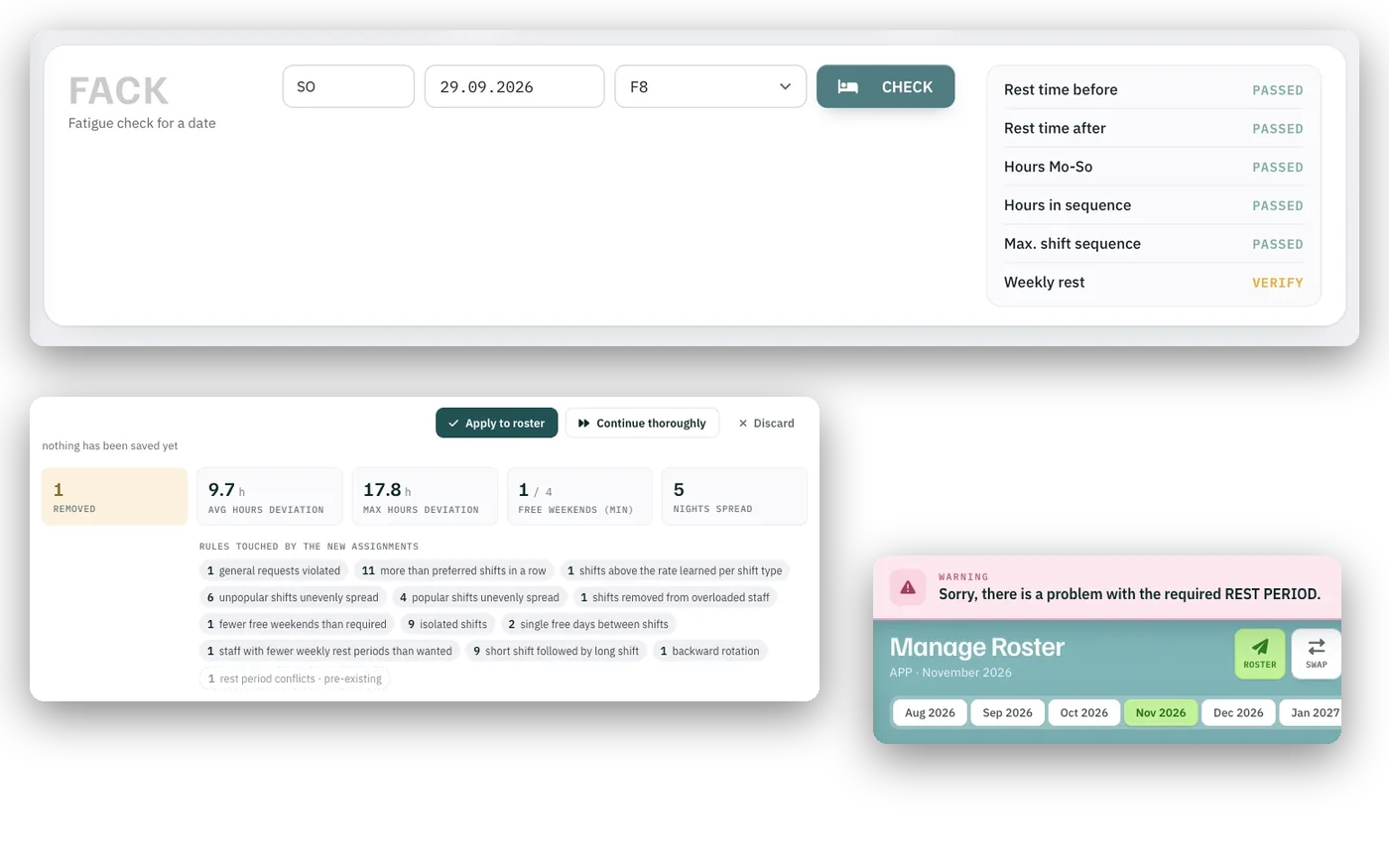
Fatigue and duty rules
Rules on every entry.
Rest periods, consecutive duties and nights, weekly hours: you set the limits, following ATS.OR.320, and Rostify checks them as you plan. The fatigue check shows whether a person may step in on a given day.
- 1Fatigue check for one person and one date
- 2What the AUTO Plan changed, and which rules it touched
- 3A rest-period problem is flagged at once
Leave and absence management
Leave that fits the demand.
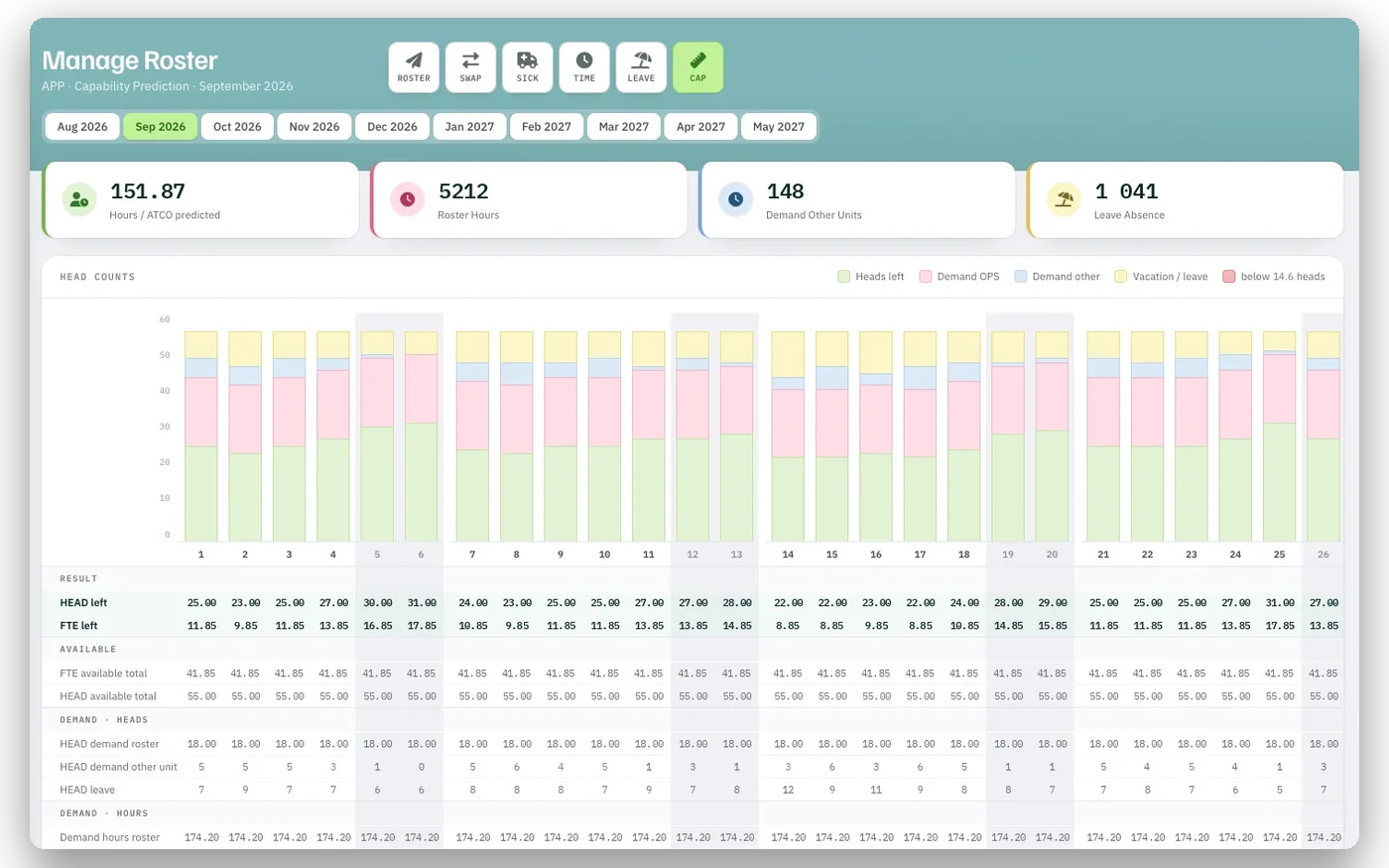
The capability prediction sets heads, demand and leave against each other, day by day. Approved leave is in the roster at once; one sick call lists every affected shift.
- 1Heads, demand and leave per day
- 2Heads left after demand and leave
Tactical planning
The day, slot by slot.
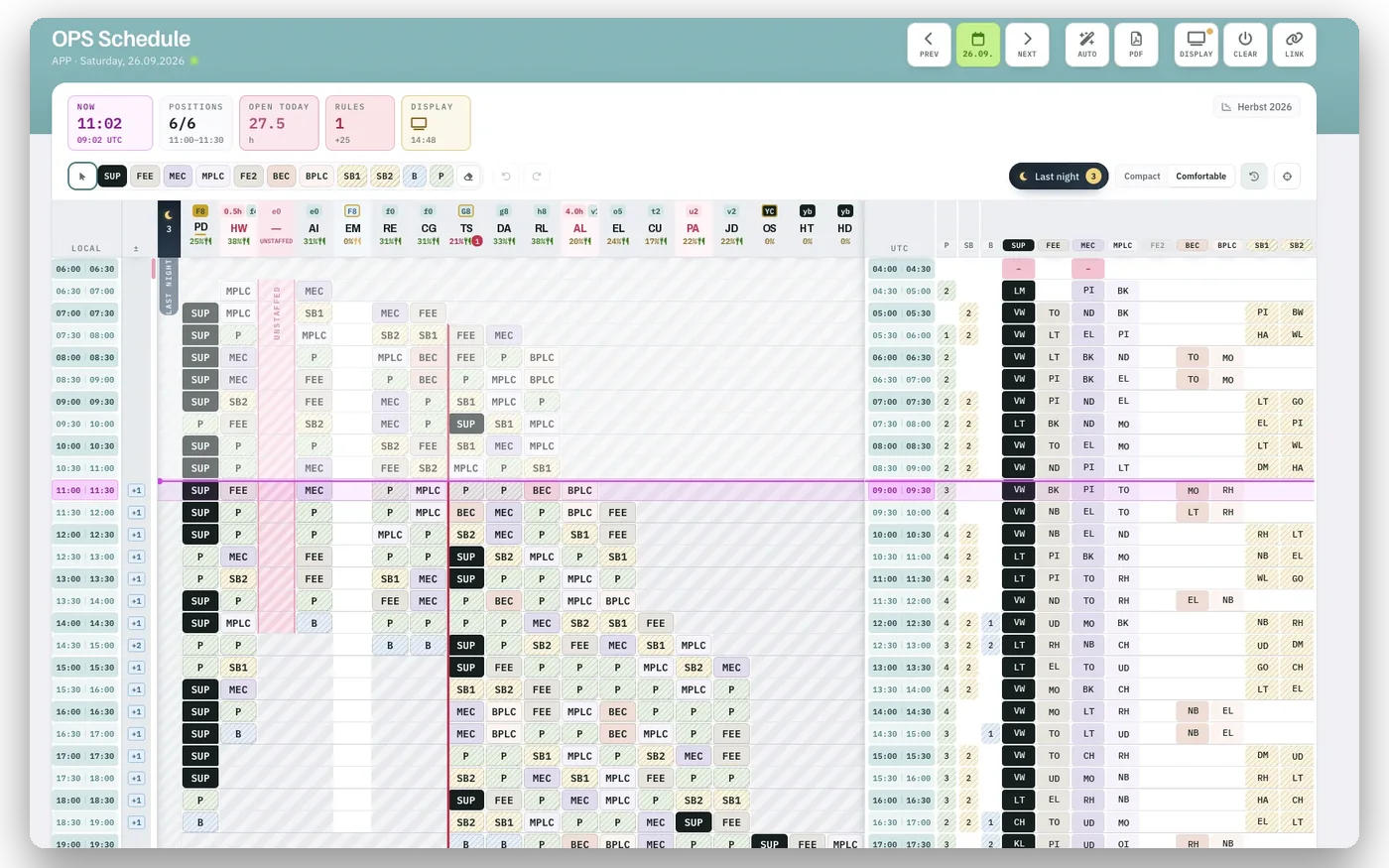
The OPS schedule turns the roster into the day: who works which position when, who is on a break, who is in a briefing. An unstaffed position stands out before it happens.
- 1The NOW line
- 2Time, positions staffed and open hours today
Competence and training
Valid licences on every shift.
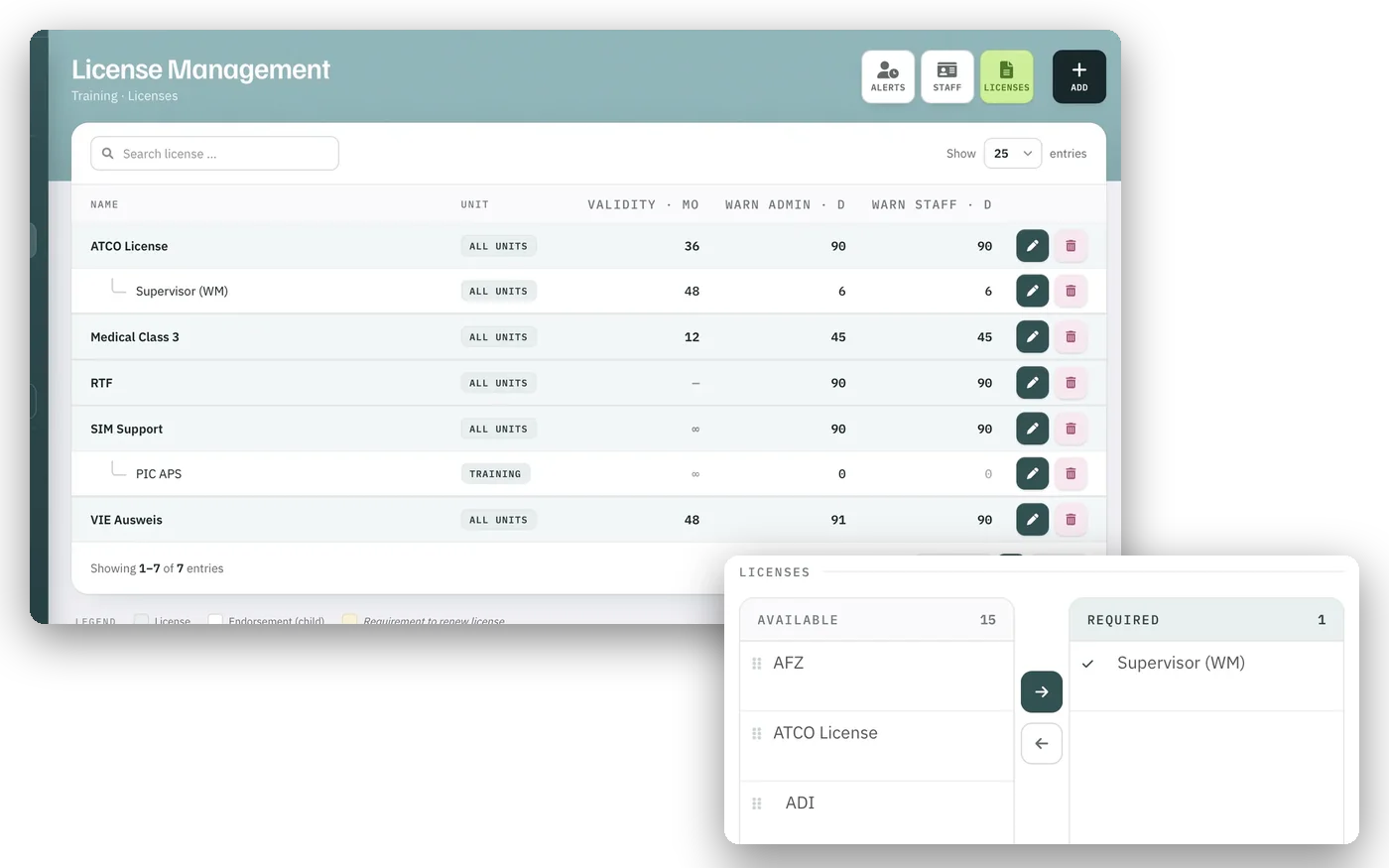
Licences, ratings and endorsements carry a validity and a warning lead time. A shift lists the licences it requires; roster, requests, swaps and AUTO Plan offer it only to people who hold them all as active. An expiry date alone blocks no one. Trainee and OJTI are rostered as a pair.
- 1Validity and warning lead times
- 2The licences one shift requires
Briefing and read receipts
Every briefing read. Provably.
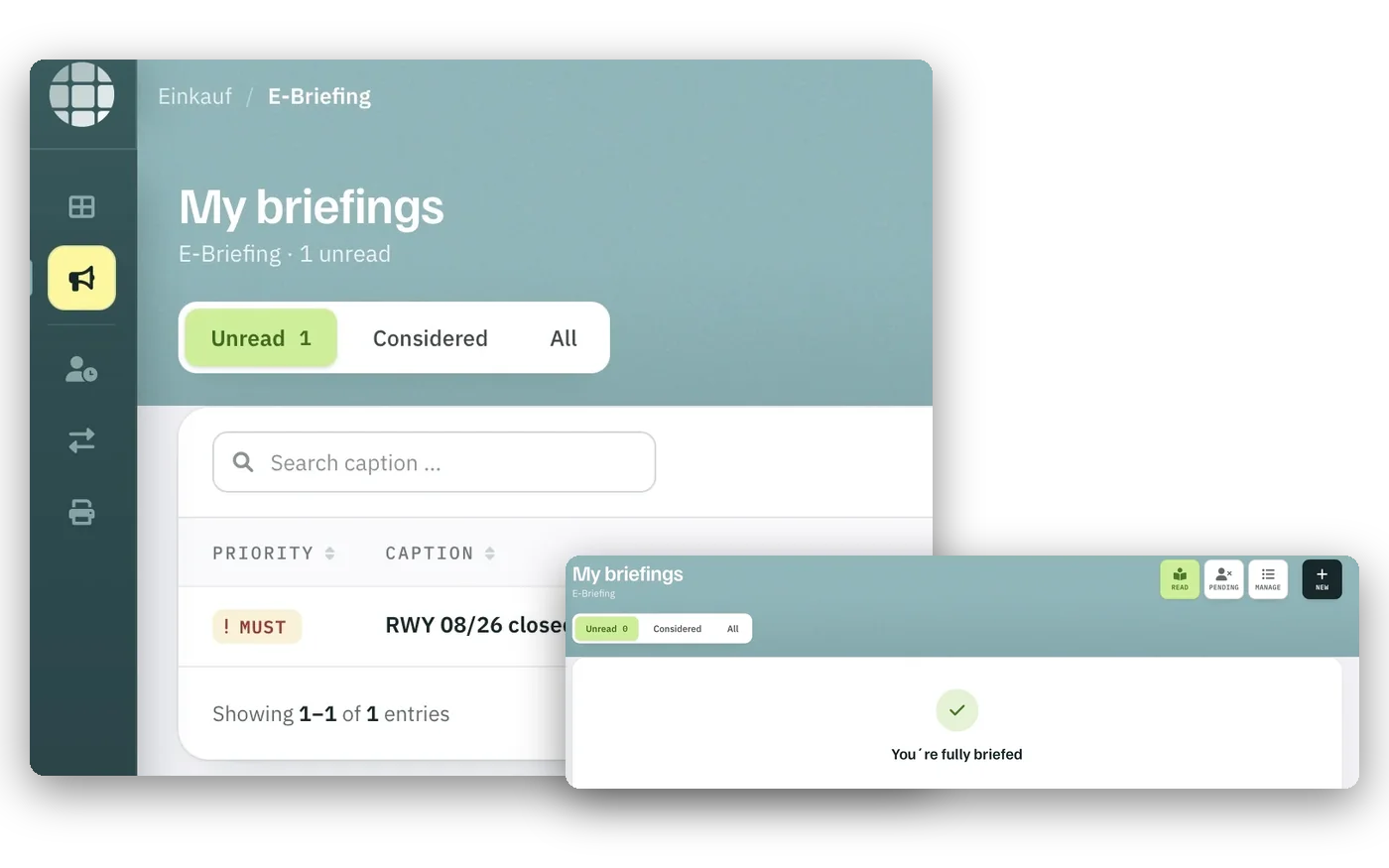
Briefings are compulsory, daily or for information. A compulsory briefing must be confirmed; whoever has not confirmed it is flagged before the shift.
- 1Unread compulsory briefings
- 2Nothing open: fully briefed
Self-service and mobile
The roster in every pocket.
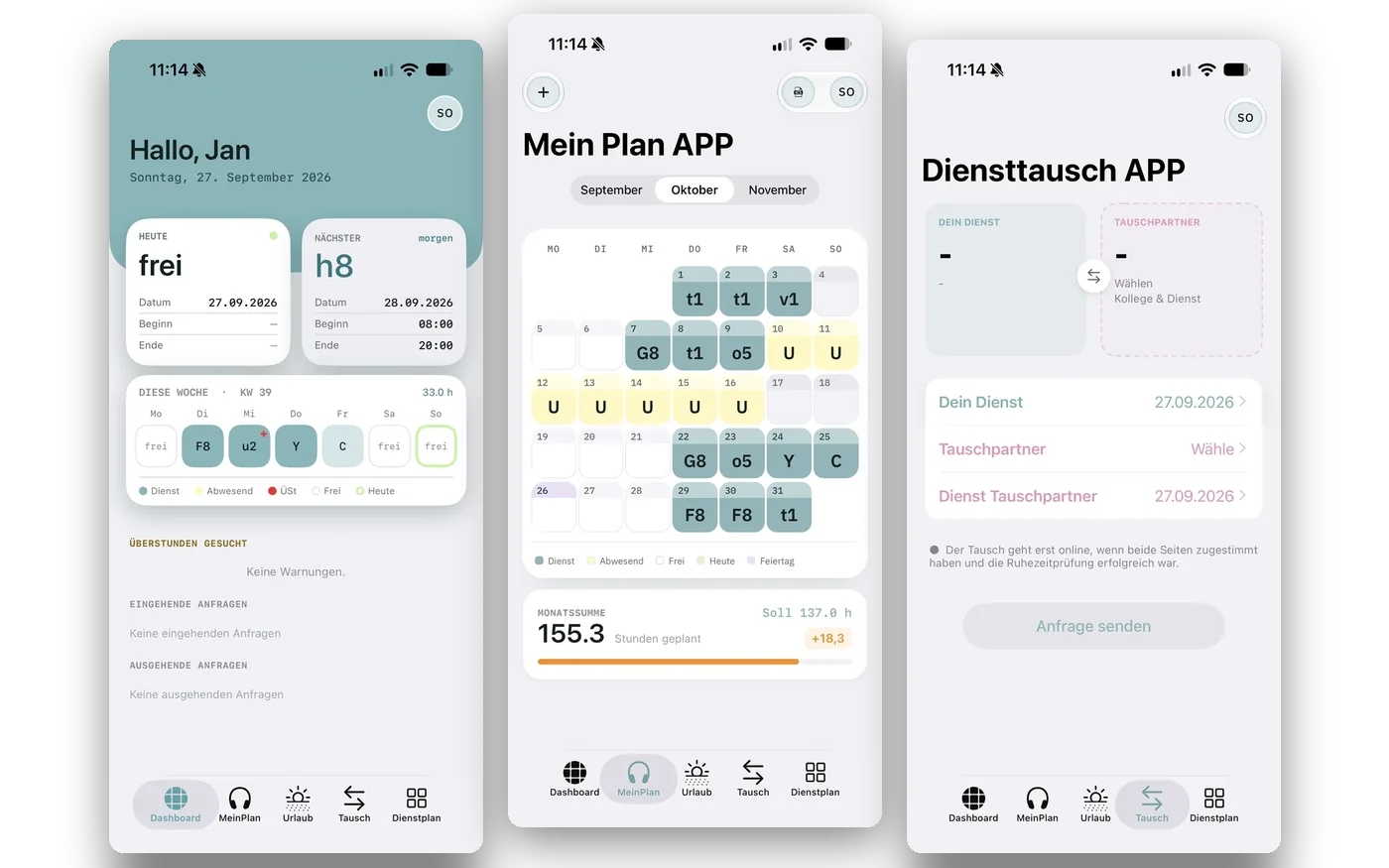
In the app and in the browser, staff see their roster, send requests, apply for leave and swap shifts. A swap is checked against the rules before it is offered.
- 1Today and the next shift
- 2The month and its hours
- 3Shift swap
Time, attendance and payroll
Hours that reach payroll.
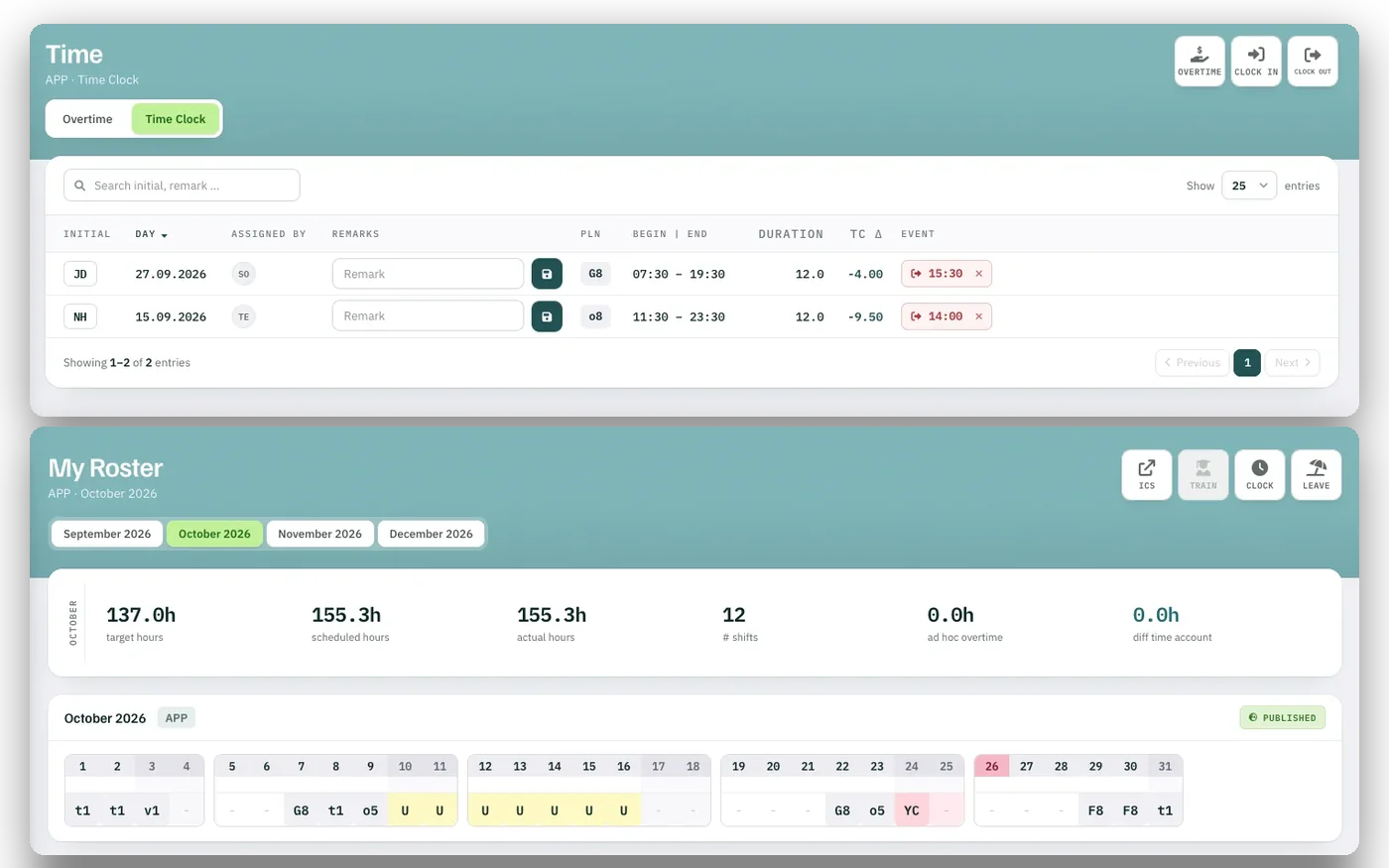
Hours, overtime, leave and absences are kept per person and per month. Payroll data leaves Rostify with personnel number and cost centre. For SAP, the interface is configured once you provide a test system.
- 1Planned and clocked time, with the difference
- 2Target, scheduled and actual hours of the month
- Delivery
- Software as a Service
- Hosting
- EU
- Users
- from 50
- Start
- Ready to go in a few days
- Calendar
- iCalendar subscription
- Payroll
- Export with personnel no. and cost centre
- SAP
- Configured once a test system is provided
Hosting and interfaces
One database. Hosted in the EU.
Rostify runs as software as a service from 50 users. Easy to set up, ready to go in a few days. Calendars subscribe once and update themselves; payroll data is exported.
Workforce management
Bring one month of your roster.
We set up your positions and rules and show you the result in a 45-minute online demo. Easy to set up, ready to go in a few days.