Book a demo

03 · Plan · Shift rotation Fixed rhythm. Free hand.

A shift rotation is a fixed cycle of day shifts, night shifts and days off that several watches run through, offset against each other. Rostify lays it over the roster: the rotation sets the beat and checks every entry. The roster is filled by the planner – or by AUTO Plan, which keeps to the rotation.

Shift rotation of the demo unit: a seven-day cycle on a turning disc, five watches fixed around it

In the rotation

–

    Day shiftNight shiftOffThe cycle and the five watches of the demo unit in the screens below. Each day the disc turns one step; under each watch you read its shift.
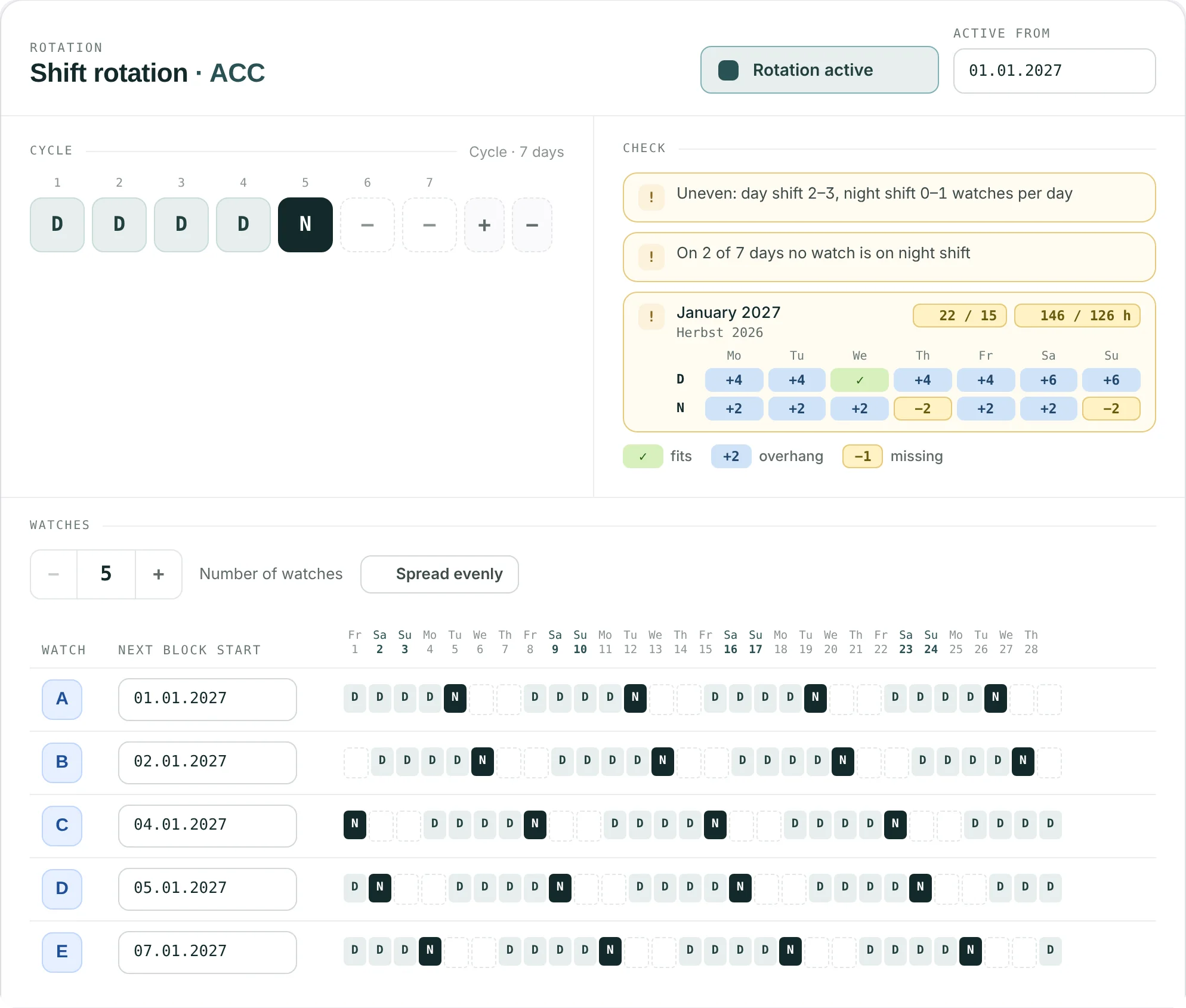
    Shift rotation card of a unit: seven-day cycle, check with month tile, five watches with block starts and four-week preview

    Set up · per unit

    One rhythm for the unit.

    One tile per day – off, day, night, or day or night – up to 62 days, and up to twelve watches. Spread evenly sets the block starts; Rostify works out the offset. The check lists only what does not add up, here uneven night cover, and compares the rotation with the shift pattern of each month.

    1. 1Off until a unit switches it on, valid from a set date
    2. 2One tile per day: off, D, N or D/N
    3. 3The check lists only what does not add up
    4. 4Each month against the shift pattern: D and N per weekday, working days, hours
    5. 5Watches with offset block starts and a four-week preview
    Units in the handbook
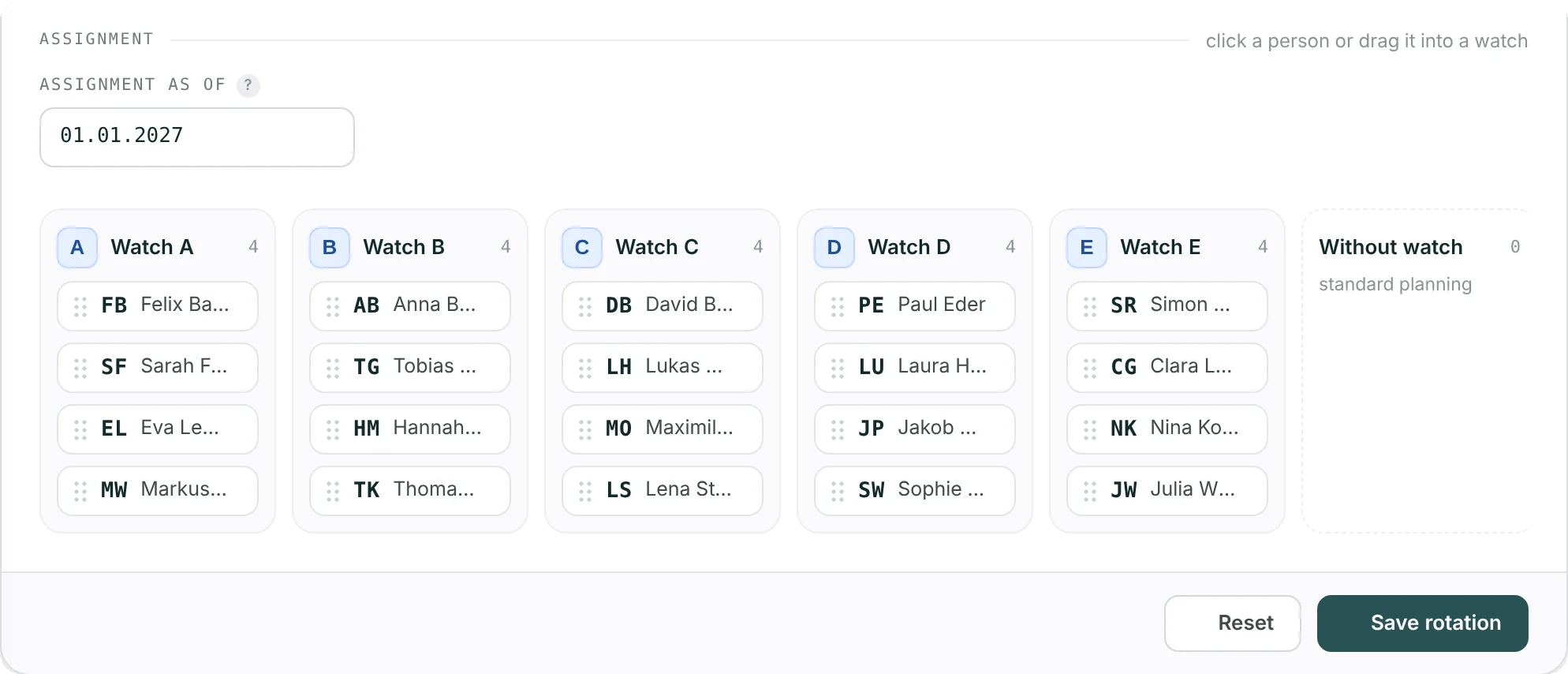
    Assignment: five watches with four people each and the column without watch

    Assign · from a date

    People into watches.

    Drag a person into a watch, or click and choose. Changes apply from the date you set; earlier days stay as they were. Each watch shows how well its people already fit the rotation: the share of days in the last six weeks on which duty and days off matched. A person belongs to the rotation of one unit only; people without a watch are planned as before.

    1. 1Assignment applies from this date
    2. 2Click a person or drag them into a watch
    3. 3Without a watch: standard planning
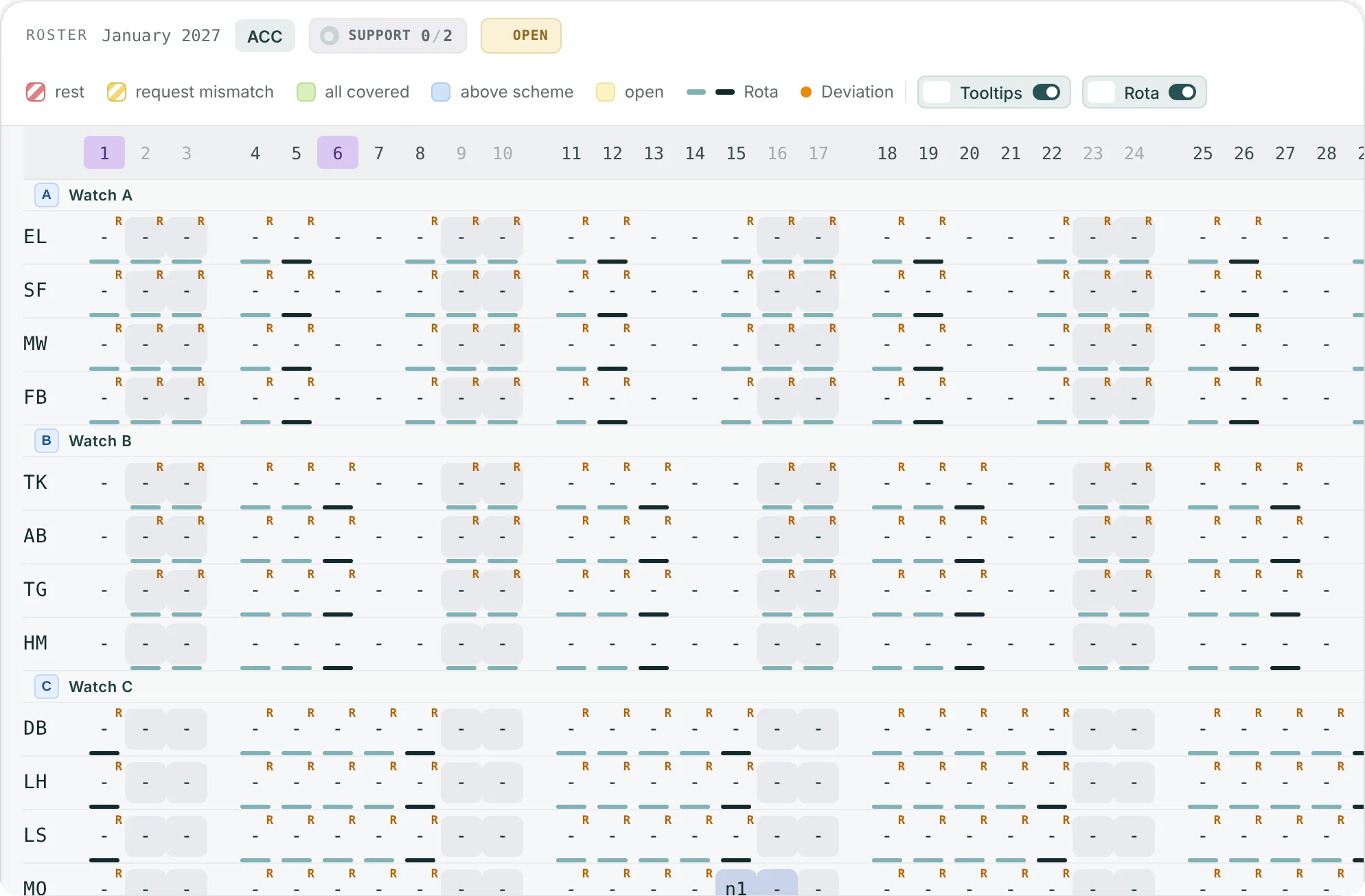
    Monthly roster for January with the shift rotation: watch headers, bars under the days, orange R on working days without a shift

    In the roster · live

    Every deviation, the moment it happens.

    With an active rotation the monthly roster orders staff by watch and draws a bar under every day: light for a day shift, dark for a night shift. Where the roster departs from the rotation, an orange mark appears as soon as the entry is made. Here, a January before planning: every R is a working day in the rotation that still has no shift. Absences get no mark.

    1. 1Staff ordered by watch, one header per watch
    2. 2A bar under each day: light = day shift, dark = night shift
    3. 3Orange mark where the roster departs from the rotation
    4. 4One switch hides the rotation layer
    Monthly roster
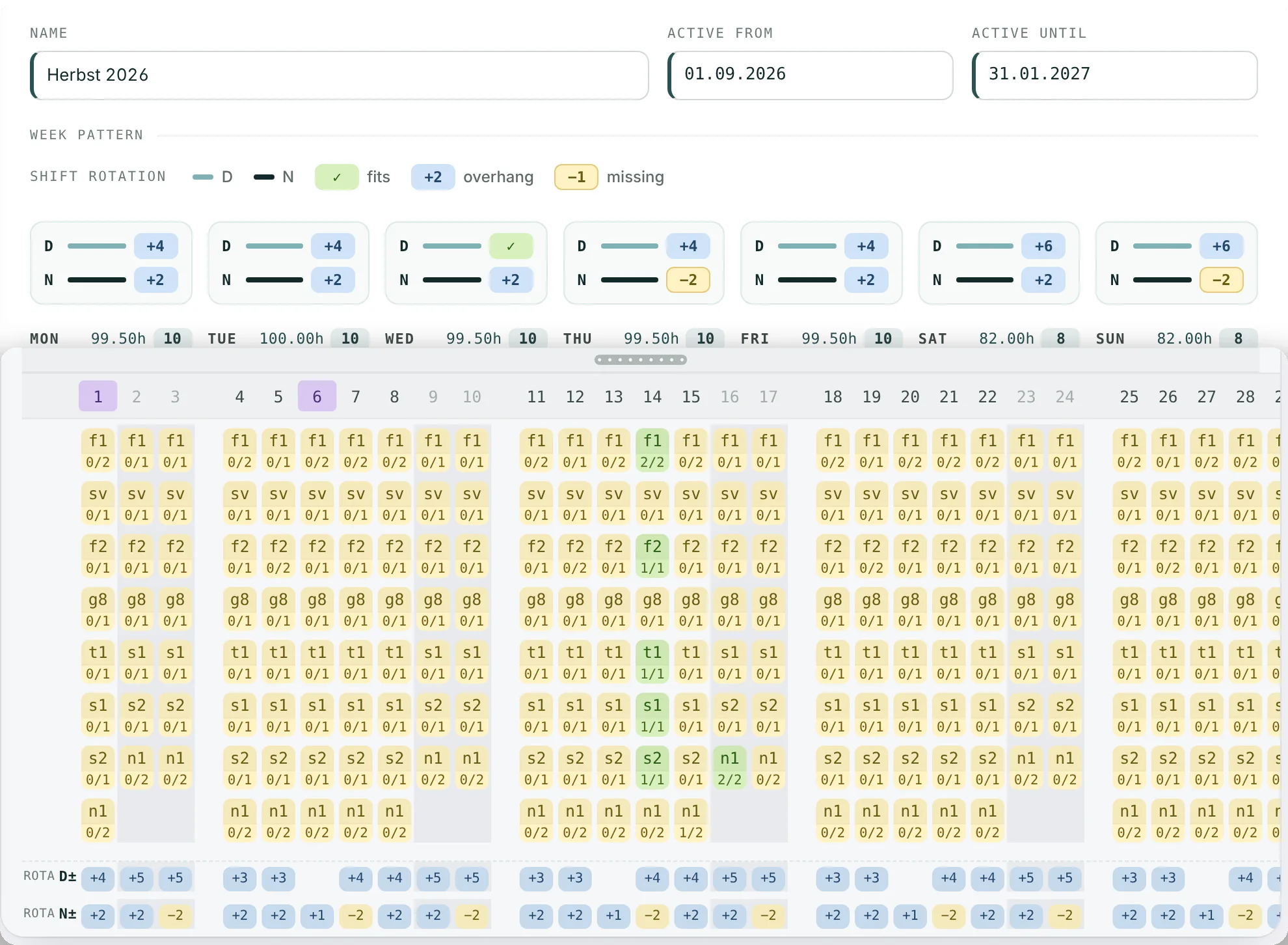
    Shift pattern with the rotation check per weekday, and below the monthly roster rows Rota D± and Rota N±

    Against demand

    Does the rotation cover the pattern?

    Above each weekday the shift pattern shows how many people the rotation puts on day and night shift, against the shifts the pattern needs: ✓ fits, +n overhang, −n missing. In the roster, the rows Rota D± and Rota N± do the same for every single day, with absent staff left out.

    1. 1Rotation against the pattern, day and night, per weekday
    2. 2−2: two people missing on Thursday nights
    3. 3The same balance for every day of the month
    Shift patterns

    AUTO Plan

    Automatic planning keeps to the rotation.

    For everyone in a watch, AUTO Plan treats the rotation as a rule set of its own. People without a watch, and units without a rotation, are planned as before.

    Mandatory

    No shift on a day off in the rotation. Manual entries stay.

    Mandatory

    On working days only the shift type the rotation sets: day or night. On D/N days, either.

    Desirable

    Fill the working days of the rotation. Where the demand is not there, they stay empty for the planner.

    Desirable

    Share nights on D/N days fairly, with a night account per watch kept from the actual roster of the last twelve months.

    Unchanged: rest periods to the minute, after a night only night or off, maximum hours and licences.

    07My Roster
    Staff see their watch and a bar under every day of their month – in the published month and in the one being planned.
    PDFYear plan
    The rotation prints as a PDF for one watch or all of them, with public holidays, up to two years ahead.
    UNITPer unit
    Off by default. An admin switches it on per unit; without it, planning stays exactly as it is.

    Shift rotation

    See it with your rotation.

    Book a 45-minute online demo. Send us your cycle and the number of watches beforehand, and we show them in the roster.