03 · PLANShift patterns What must be staffed. Day by day.
Set which shifts each weekday needs, once per period – by hand or calculated from the position plan. The monthly roster, AUTO Plan and the supervisor dashboard all work from it.
The week pattern
Every shift that must be covered.
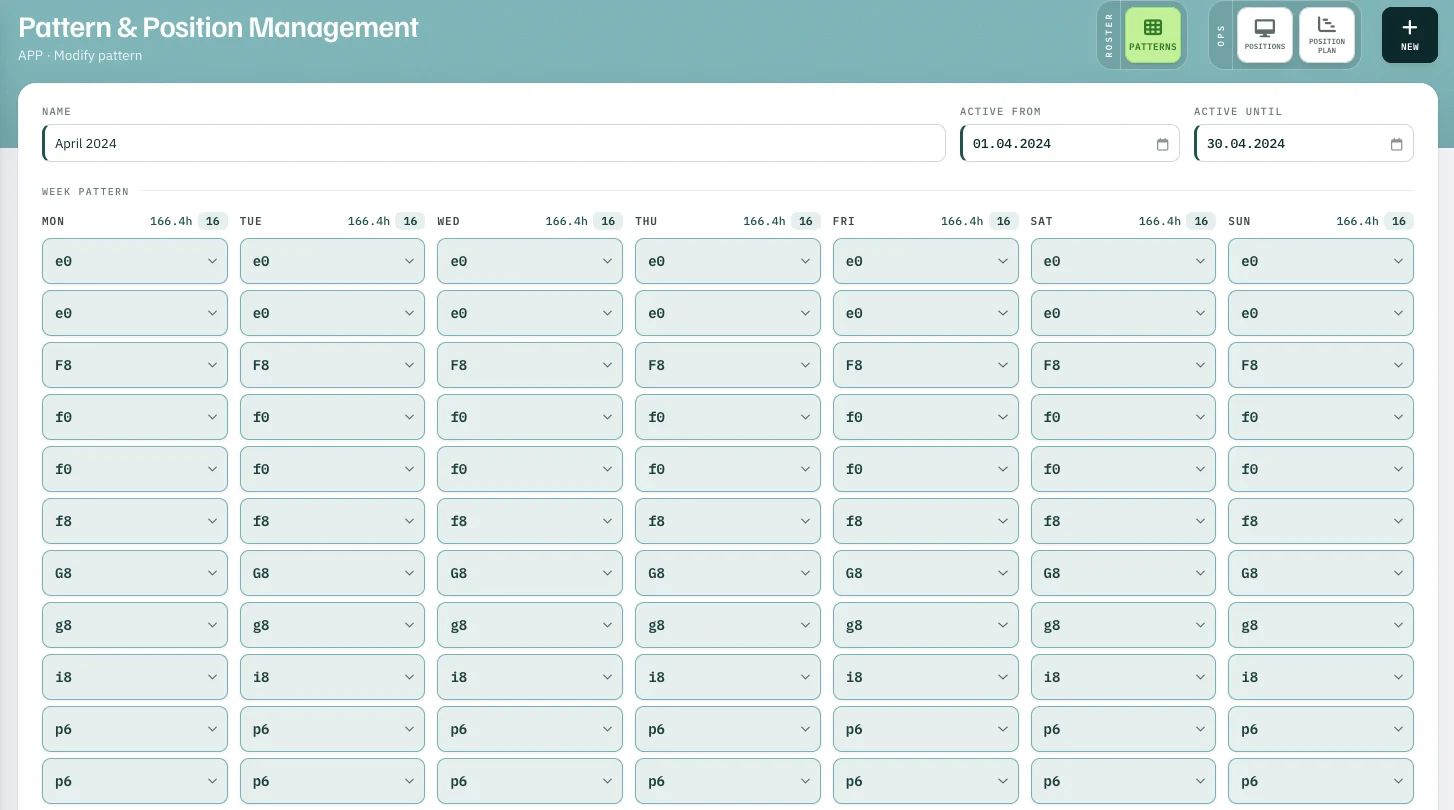
One column per weekday, one field per shift. Pick a shift and the next empty field appears; the hours and shifts of the day update above the column.
- 1166.4h · 16 hours and shifts per day
- 2e0 · F8 · f0 … each field a shift from the list
Month by month
Definable for every single day.
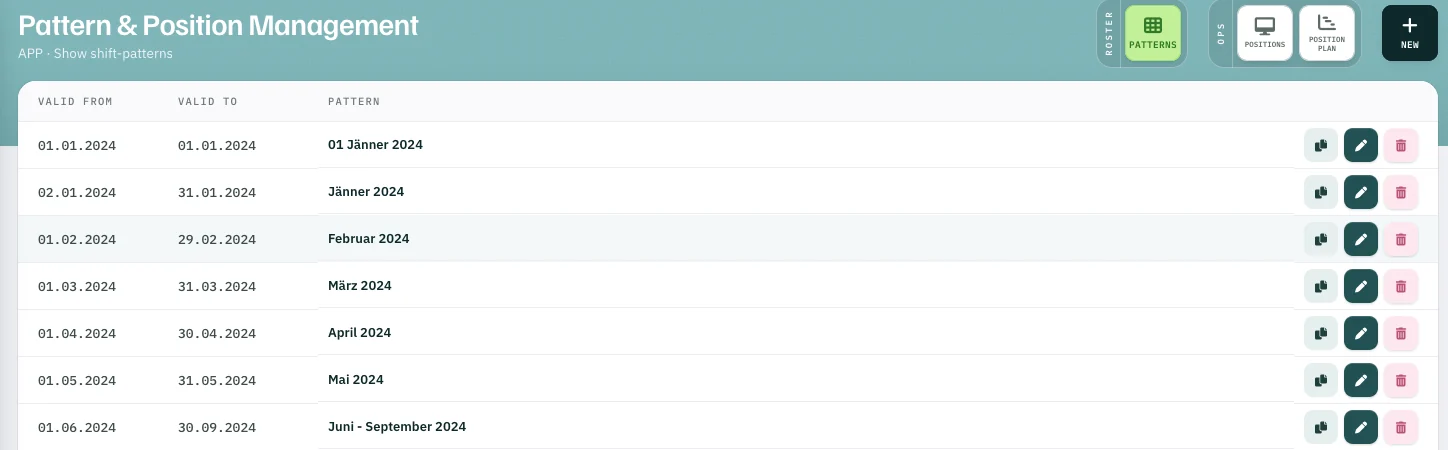
Each shift pattern has its own period – a month, a season, or a single day like 1 January.
- 101.01.2024 a pattern valid for one day only
The course of the day
Does the pattern cover the demand?
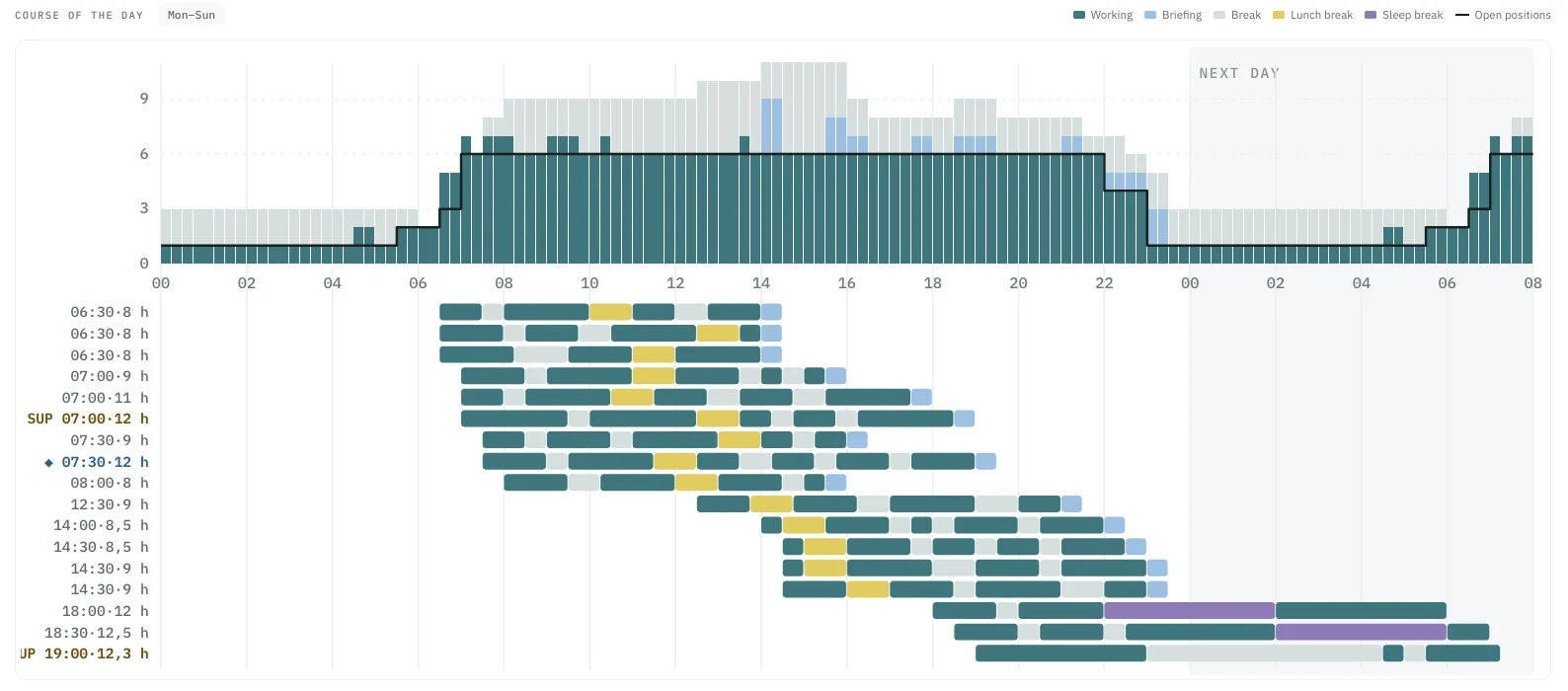
The course of the day sets the staff on duty from the pattern against the positions required — per day, hour by hour.
- 1Line · bars required positions (line) against staff on duty (bars)
- 2Briefing briefing time where you want it — here at the end of duty
- 3Night duty with planned sleep break
- 4Next day night shifts run on into the next day
The basis
By hand, automatic — and for the resource plan.
Change the pattern, and the daily demand in the roster, AUTO Plan and the supervisor dashboard follow straight away. The medium-term resource planning calculates with it too.
-
01
Rostering by handThe daily demand under the roster shows missing and surplus shifts. Monthly roster
-
02
Automatic rosteringAUTO Plan plans exactly the shifts in the pattern. AUTO Plan
-
03
Resource planningCapability Prediction calculates with the monthly patterns. Leave planning
Shift patterns