03 · PLANOptimal pattern calculation Let the demand design your shifts.
Choose a position plan and say what matters more – fewer staff hours or shorter work blocks. Rostify works out the shifts for each weekday, sets them against the shifts you already have, and fills in the pattern when you apply it.
Settings
Economical or employee-friendly.
Economical looks for the lowest number of staff hours. Employee-friendly keeps work blocks short, ideally an hour at a time. Long shifts mean fewer, longer duties. The briefing goes at the start, at the end, at either – or nowhere.
Example · economical, long shifts preferred, briefing at the end
Result
The required shifts per weekday.
Two variants side by side: the optimal one with freely chosen shift times, and one built only from the shifts your unit already has, with the extra hours per week it costs. A shift you don’t have yet is marked, and one link takes you to create it.
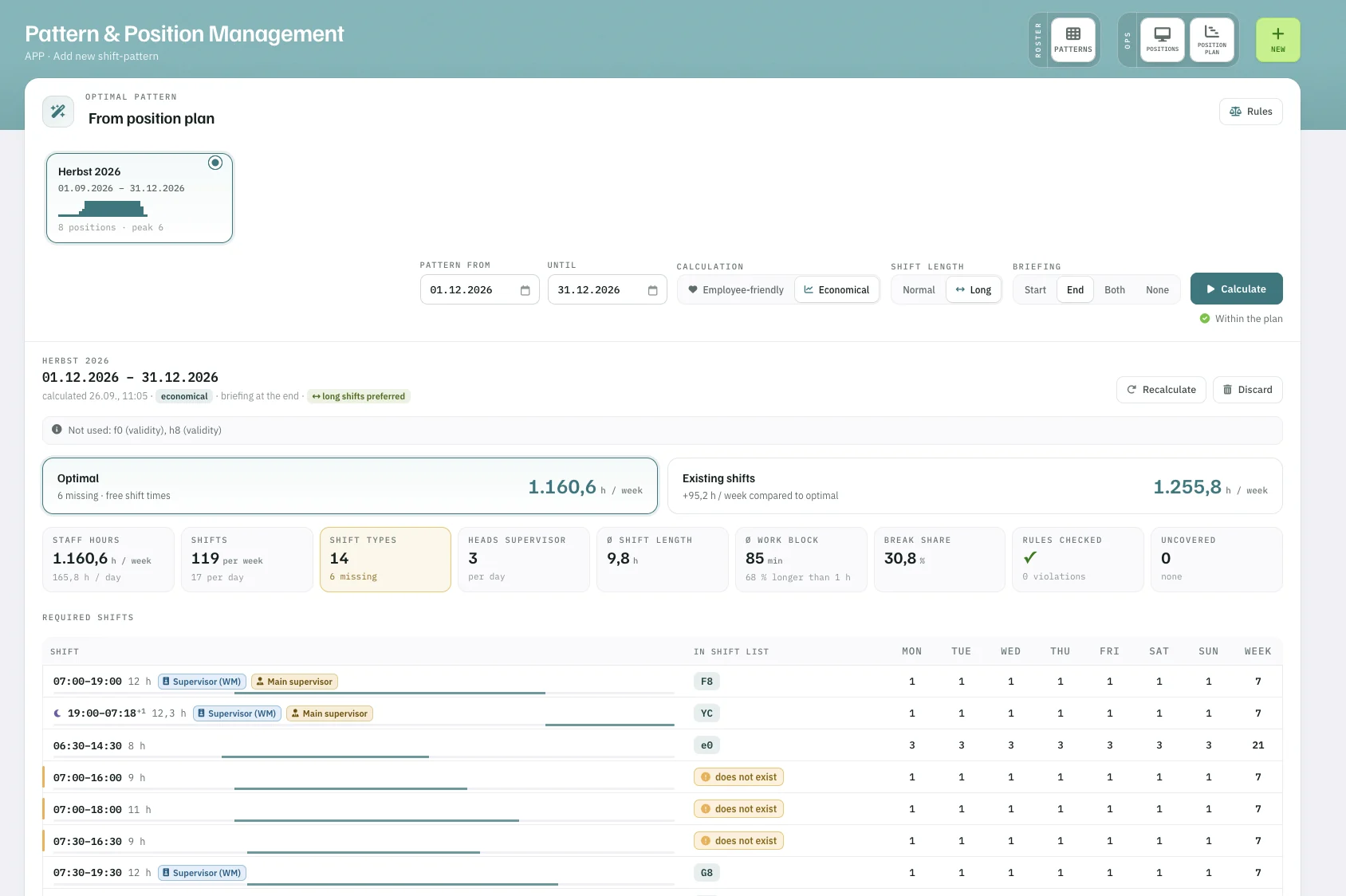
- 1Header: the mode used for this result.
- 2Optimal against your existing shifts, in hours per week.
- 3Rules check: ✓ or the number of violations.
- 4In shift list: does not exist – create it from here.
In figures
Fewer hours. Every position covered.
- 1,160.6 h
- staff hours per week, optimal pattern
- −95.2 h
- per week against the existing shifts (−7.6 %)
- 0
- positions left uncovered
- 0
- rule violations
Figures from an example unit, December 2026 – calculated economical, with long shifts and briefing at the end.
Optimal pattern