05 · LICENSINGLicensing Every licence, warned in time.
Ratings, endorsements, medicals and recurring training – Rostify counts down to every expiry and warns managers, supervisors and the licence holder in time. Shifts and positions go only to people whose licences are active.
- Simple.
- Intuitive.
- Reliable.



Manage
Ratings, endorsements, medicals. Of every kind.
Authorisations and prerequisites of every kind in one list — endorsements nest under their licence, each with its validity and its warning times.
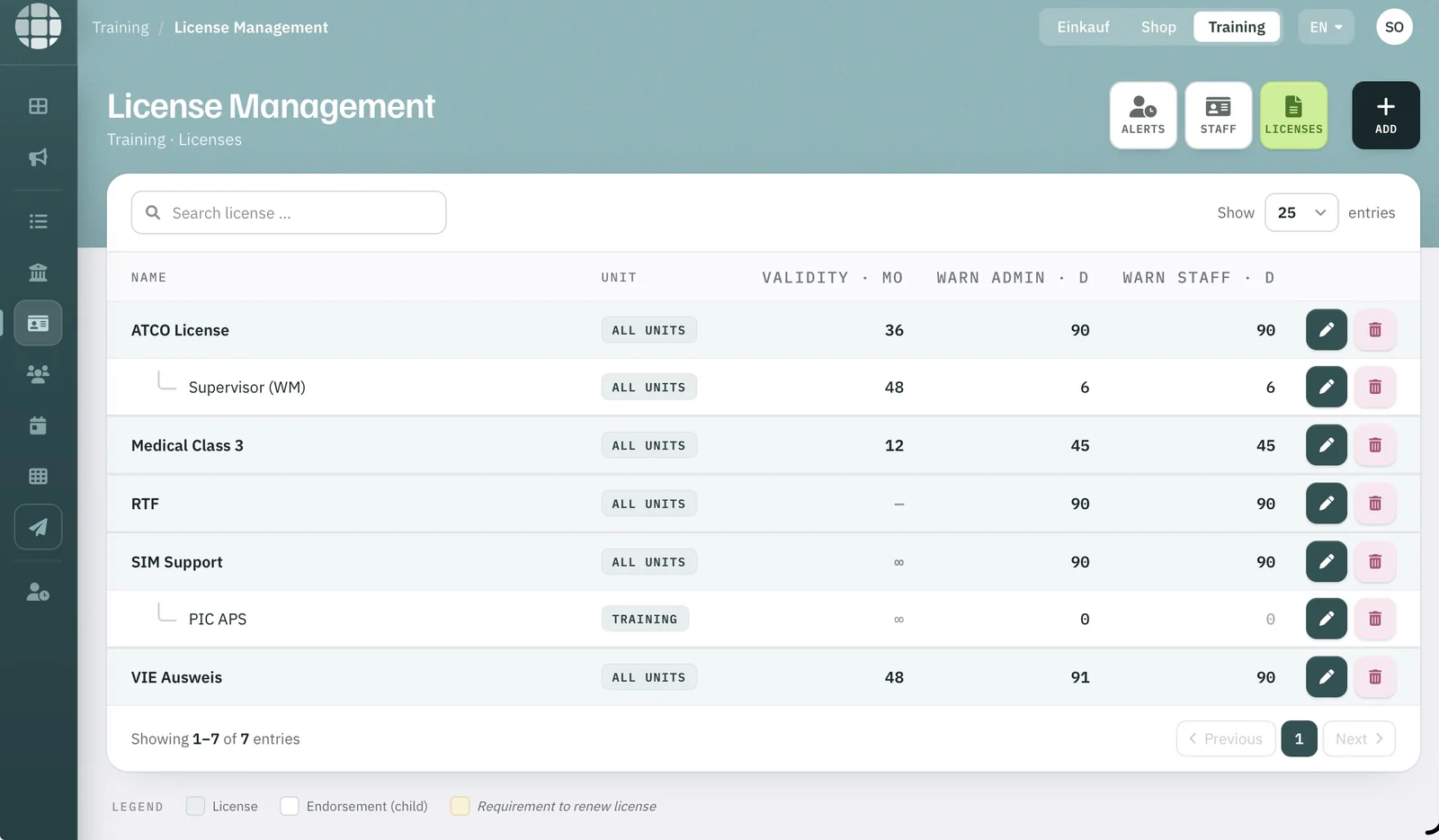
- 1Endorsements nest under their licence.
- 2Validity in months.
- 3Warning to admins — days before expiry.
- 4Warning to staff — days before expiry.
- 5Requirement to renew — marked.
Warned
Warned in time. All three of them.
Each licence has its own warning period. Inside it, the licence turns ochre in the alerts list and appears on the holder’s dashboard; once expired, it turns red. Supervisors enter renewals directly, and Rostify suggests the new expiry date.
- Manager
- Supervisor
- Licence holder
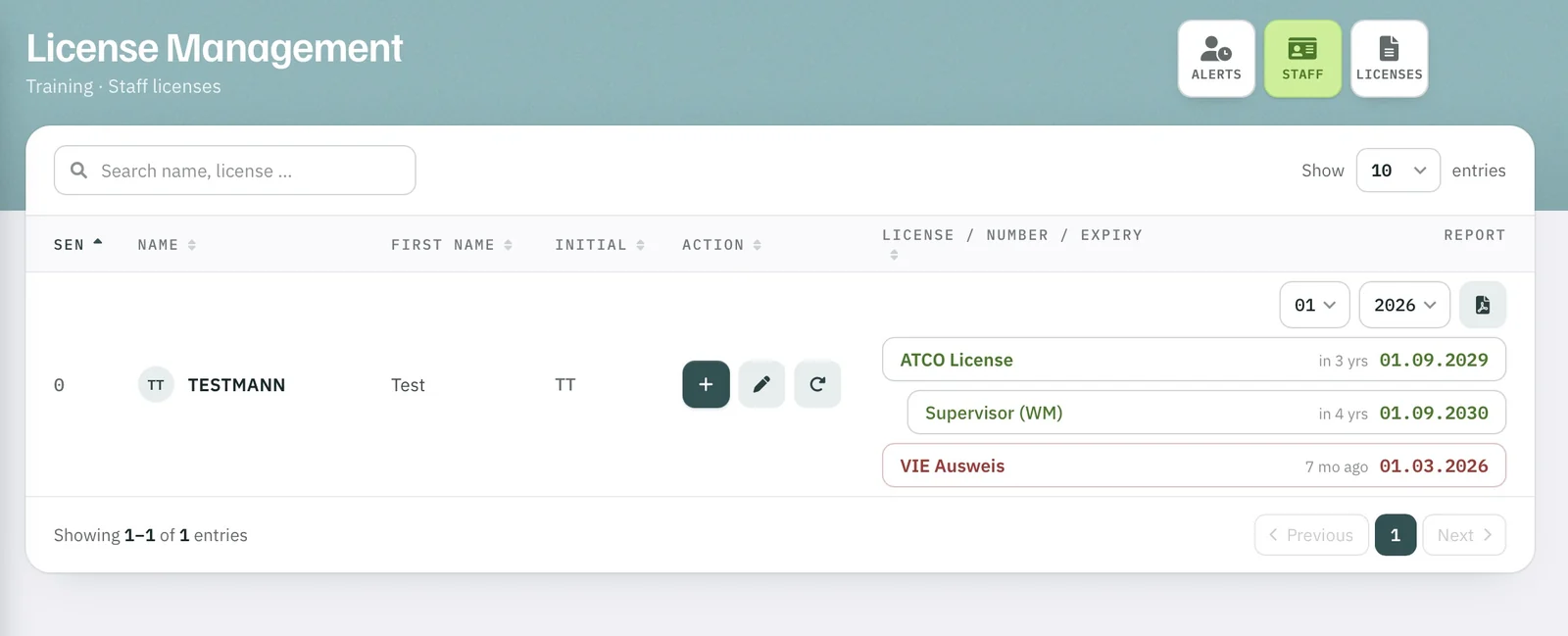
- 1Time to expiry, counted for each licence.
- 2Expired — flagged in red.
- 3Licence report per person and month, as PDF.
Linked
Linked to the roster and the OPS schedule.
Set which licences a shift requires, and Rostify offers it only to people who hold them all as active – in the roster, for requests and swaps, and in AUTO Plan. The same goes for sectors and working positions. The expiry date alone blocks no one; what counts is whether the licence is active.
- Shift
- Sector
- Working position
The right shift and the right working position for every person.
Example, Fig. 03: shift sv (06:30–18:30) requires ATCO License and Supervisor (WM).
An essential prerequisite for automated planning.
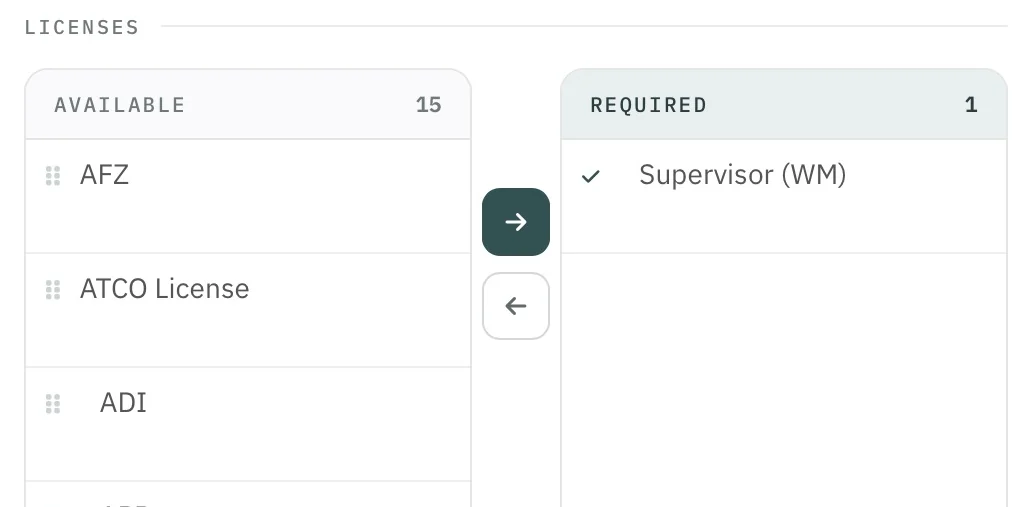
- 1Move licences from available to required.
- 2Required licences for this shift.
Licensing