Book a demo

04 · OPERATESupervisor dashboard Today’s gaps and tomorrow’s, on one screen.

Every shift in the pattern with the person on it, the extra duties below – and in colour, who is missing, where too many are on and who hasn’t read a compulsory briefing. Step up to 14 days ahead.

Overview

Who is on, shift by shift.

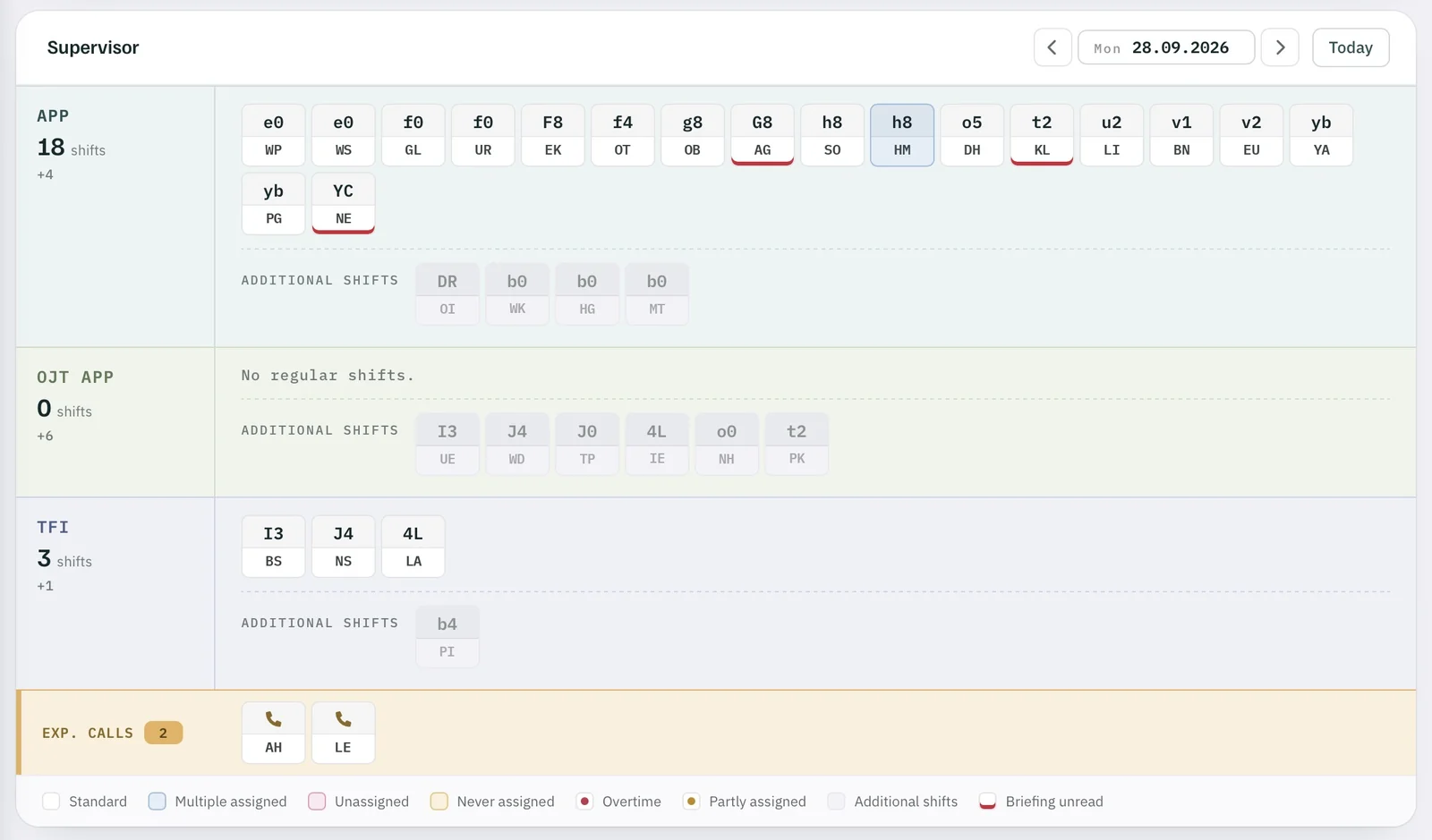
One band per unit. Each chip is a shift from the pattern, with its code and the initials of the person working it; office, training and overtime run in a second lane below.

Supervisor dashboard, Monday 28.09.2026: APP 18 shifts, one of them overstaffed, three unread briefings, additional shifts, OJT APP, TFI, legend
FIG. 01 — Supervisor dashboard · Monday 28.09.2026Screenshot · initials anonymised
  1. 1Who is on shift — shift code and initials.
  2. 2Overstaffed — too many people on the shift, marked in blue.
  3. 3Outside the pattern — additional shifts.
  4. 4Briefing unread — underlined in red.
  5. 5Expected calls — staff on sick leave report back: still sick or fit again.
  6. 6Legend: what each colour means.

Nothing slips

Tomorrow’s gap shows today.

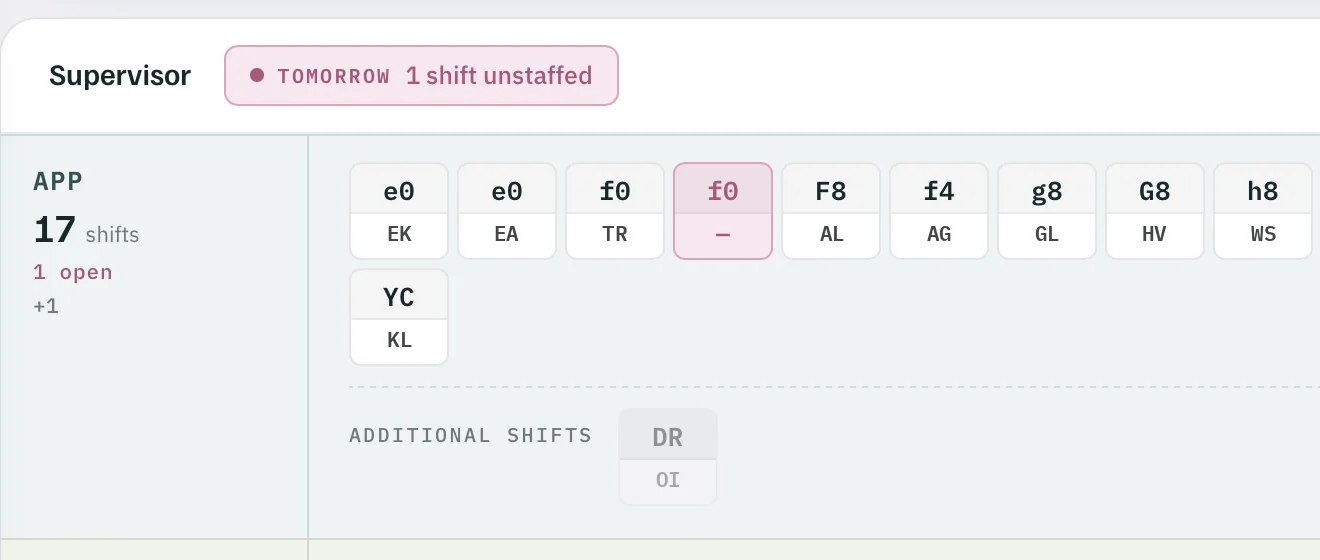
A shift in the pattern with nobody on it raises a notice at the top of the dashboard – for tomorrow as well as today. If a double booking already covers an absence, the chip shows it as balanced, and nobody needs to be called in.

  • Missing. Unstaffed shifts turn pink.
  • Too many. Blue: more people on the shift than the pattern asks for.
  • Unbriefed. Underlined in red until they confirm.
Supervisor dashboard with the notice “Tomorrow 1 shift unstaffed”: APP 17 shifts, 1 open, shift f0 without a person
FIG. 02 — Supervisor dashboard · tomorrowScreenshot · initials anonymised
  1. 1Act now: tomorrow one shift is unstaffed — flagged at the top.
  2. 2The unstaffed shift — marked in pink.
  3. 3Open shifts counted per area.

Details

Hover a code: begin, end, duration.

Point at a shift and the tooltip shows its times, the person’s name and phone number – useful when you need to reach someone.

Shift o5 — begin, end, duration.

No need to open the roster to know when someone finishes.
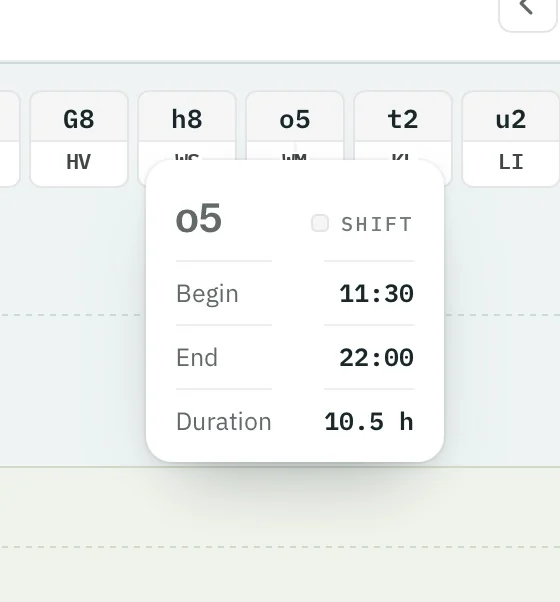
Tooltip for shift o5: begin 11:30, end 22:00, duration 10.5 h
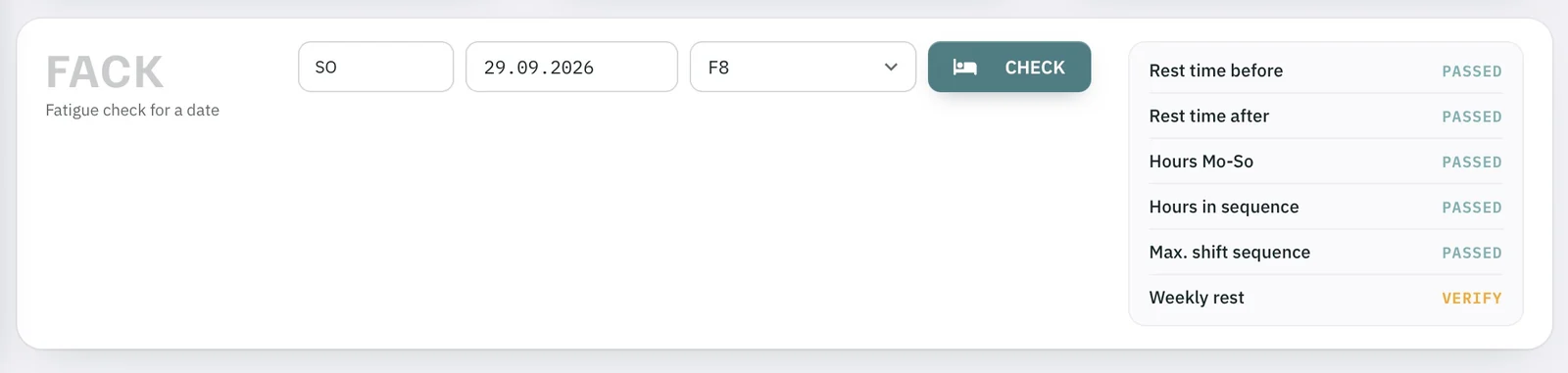
FACK fatigue check for 29.09.2026, shift F8: rest time before and after, hours Mo–Su, hours in sequence, max. shift sequence passed; weekly rest: verify

FACK fatigue check — before someone volunteers.

Check at any time whether a staff member who would volunteer complies with every fatigue rule: rest time before and after, hours Mo–Su, hours in sequence, maximum shift sequence and weekly rest.

Rest, fatigue and duty limits

Screenshot · initials anonymised

Supervisor dashboard

Know the gaps before the shift starts. Try it with your own unit.

Request a trial →