07 · CREWExchange · shift swaps Shift swaps. Fully automated. Error-free.
Staff arrange their own shift swaps. Pick your shift and Rostify offers only colleagues who can take it under every rule; greyed shifts tell you why. Your partner accepts, a last check runs, and the roster updates – no planner needed in between.
- 01ChooseYour shift, then a partner who fits.
- 02RequestPush or SMS to the swap partner.
- 03Re-checkAll rules again before the final entry.
- 04EnteredThe swap is in the roster.
The swap grid
Only who is really available.
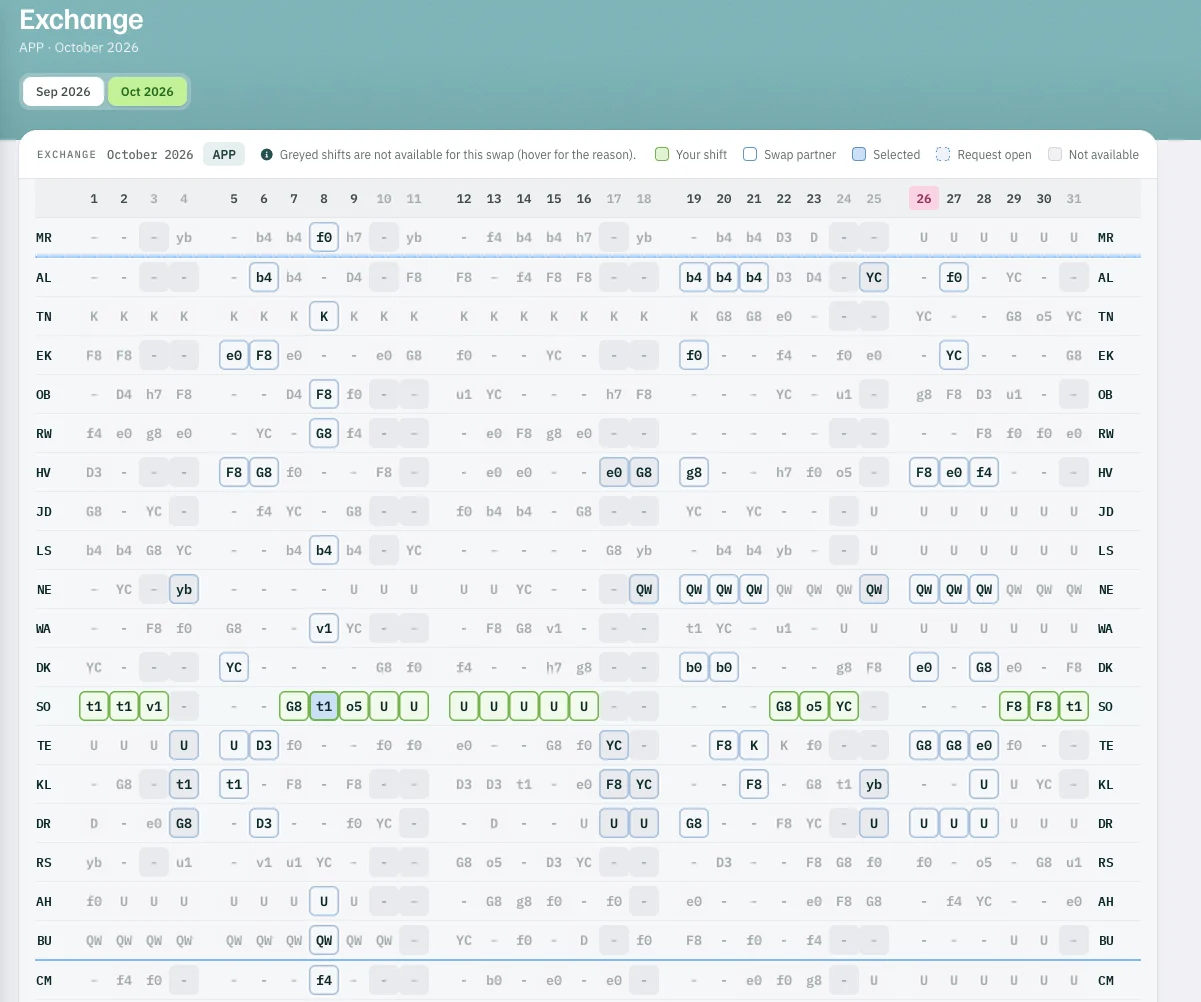
Click your shift and Rostify checks every colleague at once: rest periods, shifts in a row, weekly hours, licences, absences. Whoever fits stays clickable.
- 1Your shift t1 on the 8th, selected
- 2Swap partner b4 on the same day — available
- 3Greyed not available for this swap; hover shows the reason
Request and confirm
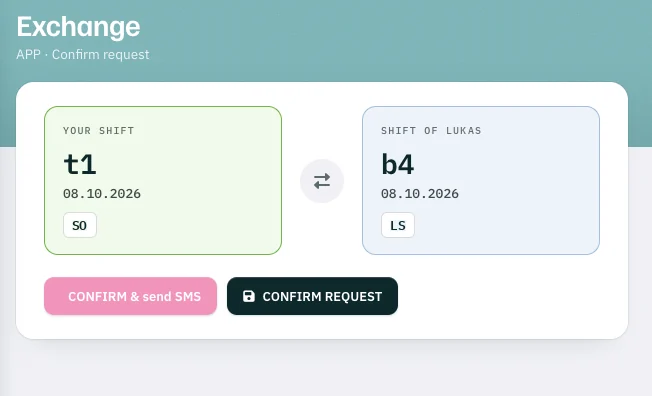
Push or SMS. Then one more check.
Your request reaches the partner’s phone at once – or waits on their dashboard, if you prefer. In the app, they accept with a swipe.
Live
Planners follow along. Supervisors see the shift.
Roster planner
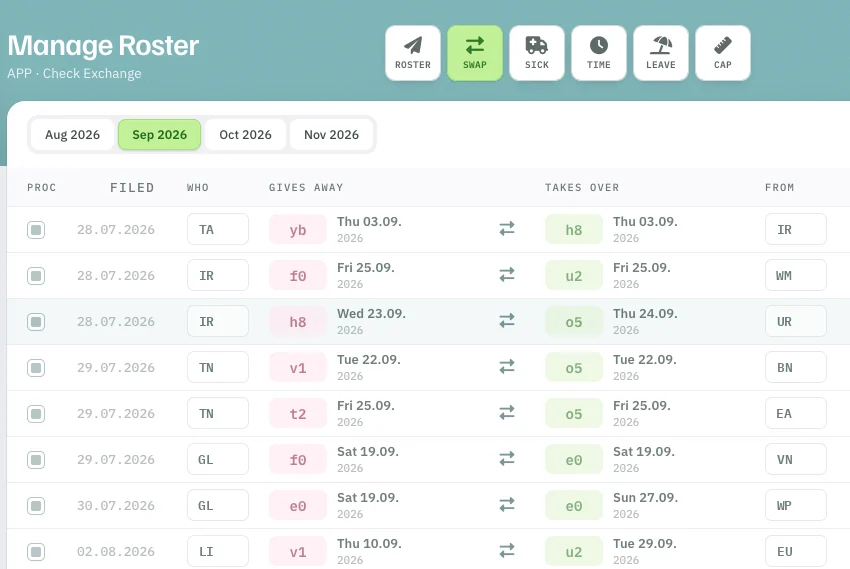
Roster planners can always follow the swaps live.
- 1Gives away shift and day handed over
- 2Takes over shift and day taken in return
Supervisor
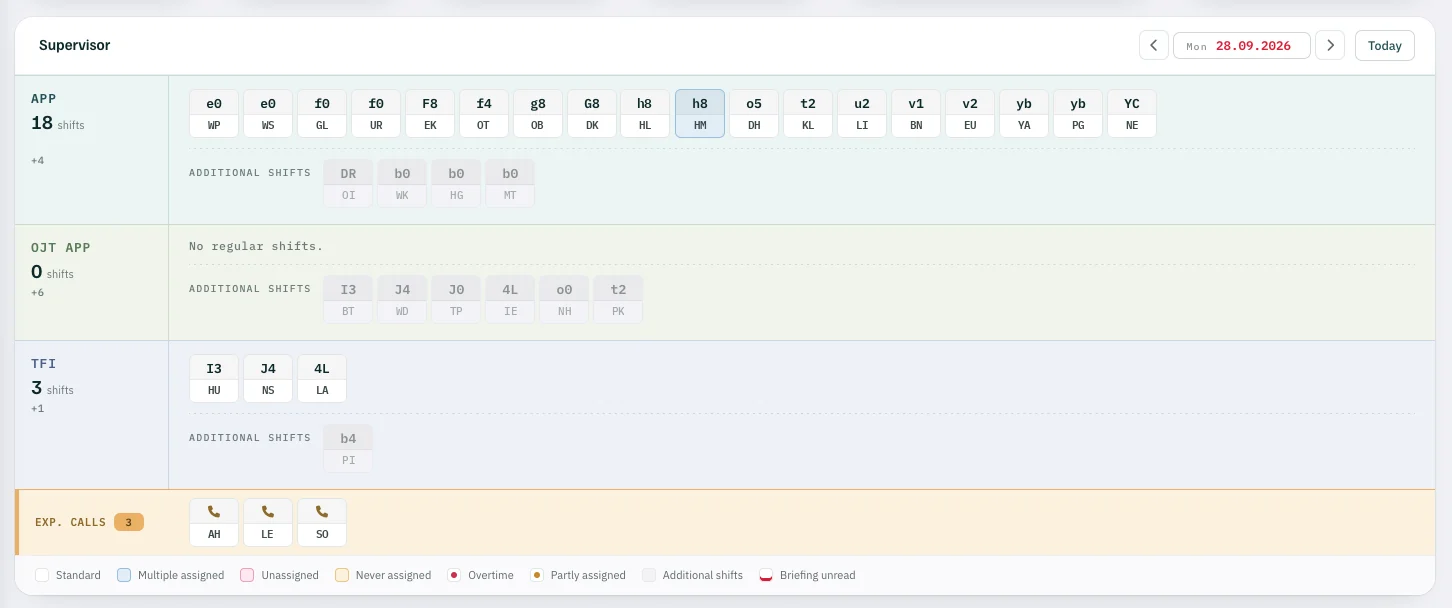
Supervisors always have the full overview of the current shift in their dashboard.
Shift swaps