Book a demo

06 · E-BRIEFINGE-Briefing Brief the right people. Know who has read it.

Write it, attach up to five files and send it to a department, a role or one person. Must-see briefings stay unread until confirmed – and the supervisor sees who hasn’t.

Validity

Valid until a date. Or until further notice.

Valid until a set date or until further notice (UFN) – for the handover, or at short notice as a daily briefing that concerns just one shift.
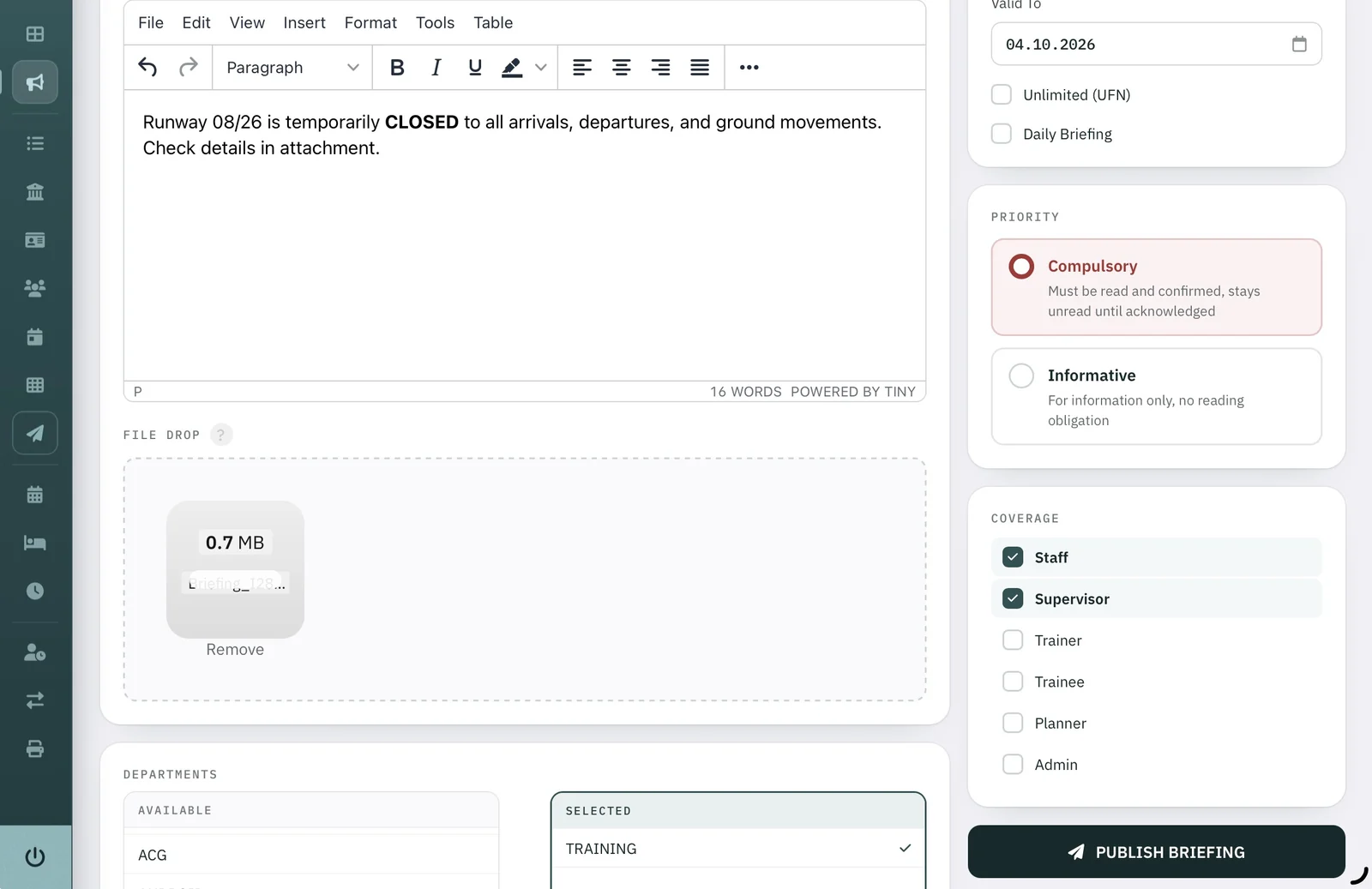
Briefing editor: text “Runway 08/26 is temporarily closed”, one PDF attachment, valid to 04.10.2026, priority compulsory, coverage staff and supervisor, department training
FIG. 01 — New briefing · editorScreenshot
  1. 1Valid to — the date the briefing ends.
  2. 2Unlimited (UFN) — until further notice.
  3. 3Daily briefing — for one day, one shift.
  4. 4Attach files by drag and drop.
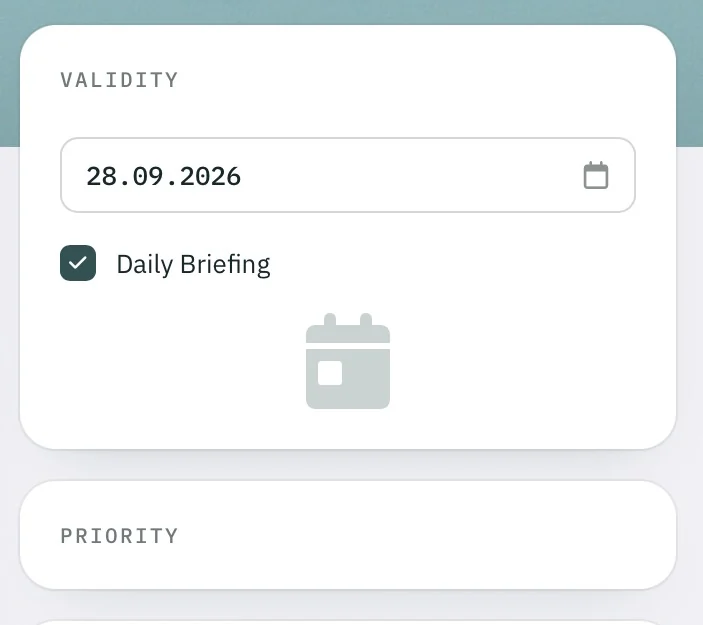
Validity 28.09.2026 with the option Daily Briefing ticked

Daily briefing.

Visible on its day only, then it drops off the list.

Distribution

To everyone who needs it.

Combine departments and roles – the supervisors of the training department, for example – or address a single person.

  1. Departments. A whole department – here: Training.
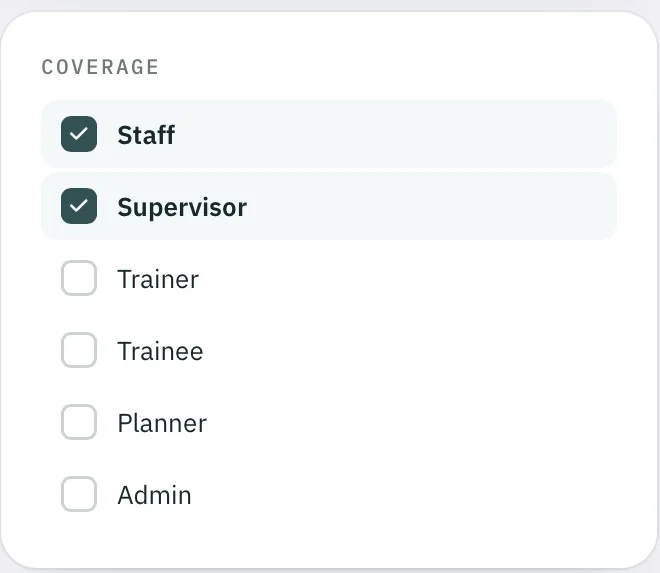
  2. Permission groups. Staff, supervisor, trainer, trainee, planner, admin.
  3. Single persons. Individually, to exactly one person.
Departments
Departments: available ACG, selected Training
Coverage
Coverage: staff and supervisor selected; trainer, trainee, planner and admin not

Screenshot

Priority

Two priorities. Must see and informative.

Choose for each briefing how binding it is.

! MUST

Must see. Must be read and confirmed — it stays unread until acknowledged.

i INFO

Informative. For information only, no reading obligation.
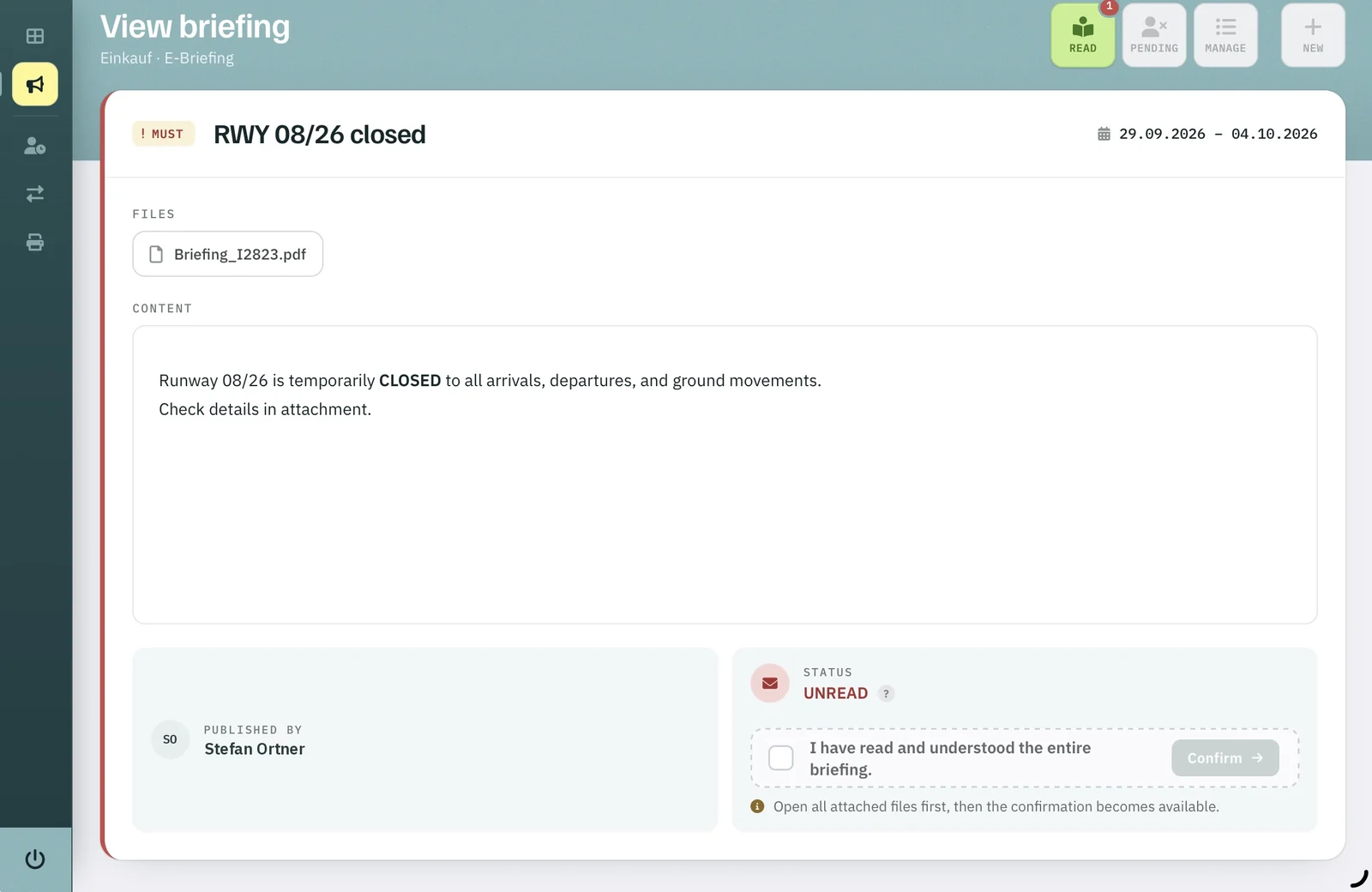
View briefing “RWY 08/26 closed”: must, valid 29.09.–04.10.2026, file Briefing_I2823.pdf, status unread, confirmation after opening all attached files
FIG. 02 — View briefing · read and confirmScreenshot · name anonymised
  1. 1Must see — flagged at the top.
  2. 2Valid from — to.
  3. 3Attached files.
  4. 4Status: unread until confirmed.
  5. 5Confirmation only after every attached file has been opened.
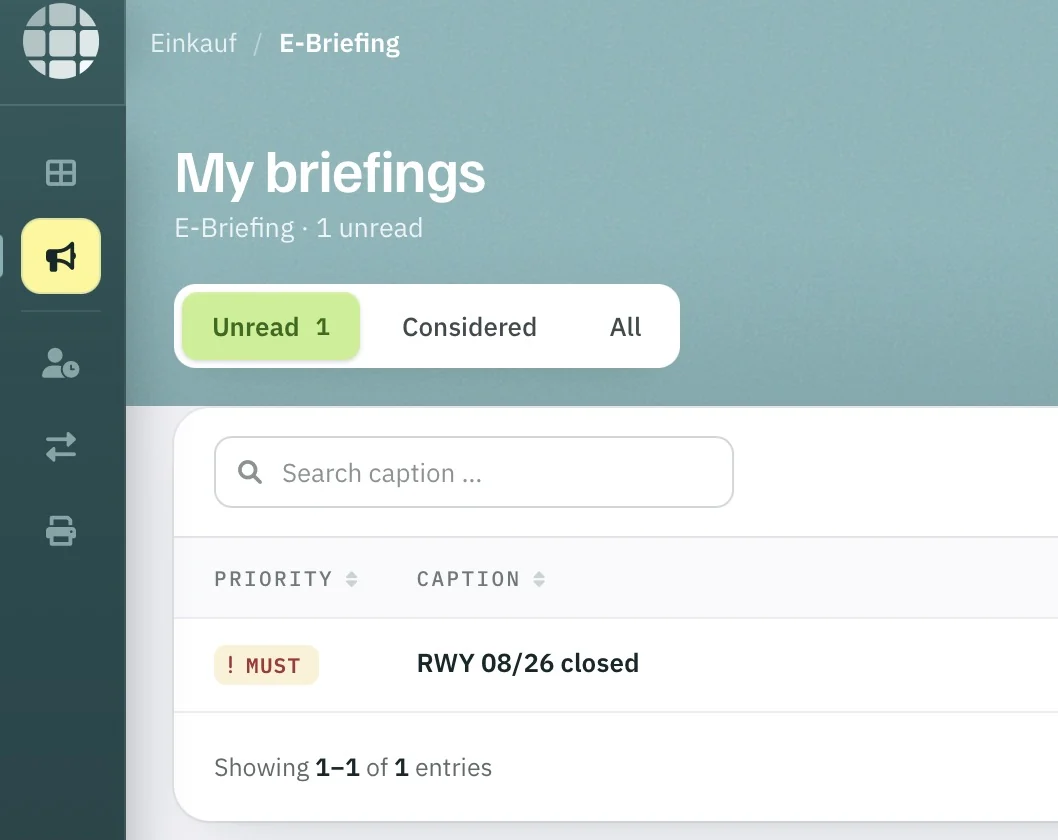
My briefings: one unread briefing “RWY 08/26 closed”, must
FIG. 03 — My briefingsScreenshot

Before — 1 unread.

  1. 1Unread first — with a counter.
  2. 2Must — has to be read and confirmed.

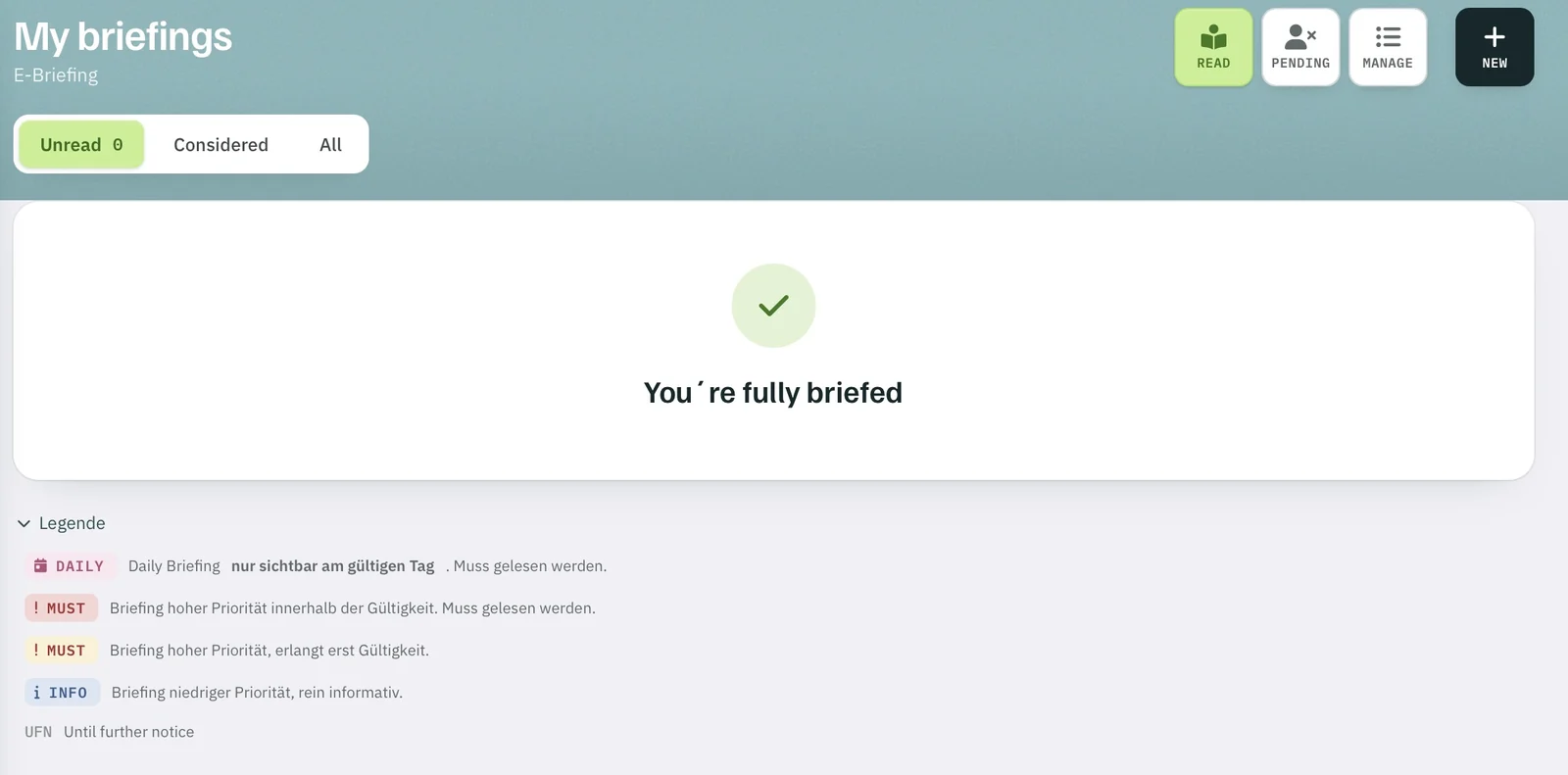
After confirming — fully briefed.

My briefings: unread 0, message “You’re fully briefed”, legend below
FIG. 04 — My briefings · fully briefedScreenshot
  1. 1Unread 0 — nothing left to confirm.
  2. 2You’re fully briefed.
  3. 3Legend: daily — visible on its day only; must — valid or not yet valid; info; UFN.

On the supervisor dashboard, anyone with an unread must-see briefing is underlined in red.

E-Briefing

Every briefing read, with proof. Send your first one in a trial.

Request a trial →